The AMI Marine X-VHFR is an Audio and Data Recorder designed for marine applications. It serves as a comprehensive system for monitoring and recording various data streams and audio signals onboard a vessel. The device features a user-friendly interface with both hardware and software controls, allowing for easy operation and monitoring of its functions.
Function Description:
The primary function of the X-VHFR is to record audio and data from multiple sources. It captures GPS data, AIS information, VHF radio communications, and microphone audio. This data is crucial for navigation, safety, and incident analysis. The system displays real-time information such as Latitude, Longitude, Course Over Ground (COG), Speed Over Ground (SOG), and UTC time. It also has the capability to display wind speed and direction in both graphical and numerical formats, provided that wind data is being received and configured.
The X-VHFR includes a serial data monitoring feature, allowing users to view raw NMEA messages from selected input ports. This is particularly useful for troubleshooting and verifying data integrity. Users can filter messages by specific characters (e.g., "$GP") to focus on relevant data streams.
Storage management is a key aspect of the X-VHFR. It records data to an internal hard disk and supports an external Long Term Recording Module (LTRM) for extended storage. The system provides a clear visual representation of storage usage, indicating used and free space on both internal and external drives. Data transfer activity to the LTRM is also indicated.
An integrated Event Log records system activities, warnings, and errors, providing a chronological record of the device's operation. This log can be viewed with or without timestamps, offering flexibility for analysis.
The device incorporates a Day and Night Mode feature to optimize display brightness for different lighting conditions. This can be manually adjusted or set to automatically switch based on GPS location, date, and time (sunrise and sunset).
For safe operation, the X-VHFR includes a controlled system shutdown procedure, ensuring data integrity before power removal. It also features a secure external storage removal process to prevent data corruption.
Important Technical Specifications:
While specific numerical technical specifications like processor speed, RAM, or exact storage capacities are not explicitly detailed in the provided pages, the manual highlights several functional aspects that imply certain technical capabilities:
- Data Inputs: Supports GPS, AIS, VHF Radio, and Microphone audio.
- Data Output: Records audio and serial data.
- Storage: Utilizes an internal hard disk and supports an external Long Term Recording Module (LTRM). The storage status display shows capacities (e.g., 446 GB, 932 GB) and usage for both C:\ (likely internal) and D:\ (likely LTRM) drives.
- Operating System: The mention of "windows desktop" and "operating system" suggests a Windows-based embedded system.
- Software Version: The device runs on software version 1.3.5.3 (as of the document's issue date).
- System Uptime: The display shows system uptime in days, hours, minutes, and seconds, indicating continuous operation monitoring.
- Connectivity: Implied serial data ports for NMEA input.
- Power Management: Features a safe shutdown procedure and a hard power-off option (to be used only in extreme cases).
- Display: A graphical display capable of showing various data, status indicators, and user interface elements in both light and dark themes.
Usage Features:
- Intuitive Interface: The X-VHFR features a graphical user interface with clear icons and text.
- Hardware Buttons:
- Red LED: Power Indication.
- Green LED: Internal Hard Disk Activity.
- Recessed Button: No Function.
- Power Button: Hold for 4 seconds for hard power off (use with caution); press to reboot after soft shutdown.
- Software Buttons:
- Right Arrow: Navigates to the next screen.
- Left Arrow: Returns to the previous screen.
- Brightness Button: Accesses Day and Night Mode settings.
- Shutdown Button: Initiates safe system shutdown or exits to the Windows desktop.
- Keyboard Button: Opens an on-screen keyboard for text entry.
- Eject Button: Facilitates safe removal of the external storage device (LTRM).
- Real-time Monitoring: Displays live GPS data (LAT, LON, COG, SOG), UTC time, and status of data ports and audio devices.
- Audio Level Indicators: Visual representation of received audio signals.
- Wind Information Display: Graphical and numerical display of wind angle and speed (if configured).
- Serial Data Monitoring: Allows selection of individual ports (GPS, AIS) to view raw NMEA messages and includes a filter for specific message types.
- Storage Status Display: Visual charts (blue for used, grey for free) showing capacity and usage of internal and external storage.
- Event Log: Records system events, warnings, and errors with optional timestamps.
- Day and Night Mode: Configurable display brightness settings, with options for manual adjustment, timed dimming, or automatic switching based on sunrise/sunset.
- Themes: Supports both Light and Dark display themes.
Maintenance Features:
- Safe External Storage Removal: The "Eject" button and associated dialogues ensure the external LTRM can be safely removed, preventing data corruption. The LTRM indicator changes from green to yellow to confirm safe removal.
- System Shutdown Procedure: A controlled shutdown process is provided to ensure the operating system and data are properly closed before power is removed, minimizing the risk of data or operating system corruption.
- Event Logging: The Event Log serves as a diagnostic tool, recording system activities and potential issues, which can aid in troubleshooting and maintenance.
- Data Integrity Warnings: The system indicates a caution state (yellow LTRM box) if a storage device is removed or develops a fault, alerting users to potential issues.
- Software Updates: While not explicitly detailed in the provided pages, the mention of "Software Version: 1.3.5.3" implies a capability for software updates to maintain and improve system functionality.
- Technical Support Contact: AMI Marine Ltd provides contact information (Tel No, Email, Web) for technical support, which is essential for maintenance and issue resolution.

 Need help?
 General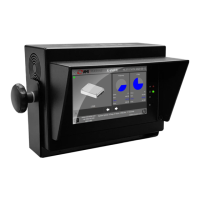

 To Next Page