7
For best performance, you should switch on the extractor 15 minutes
before starting to cook and leave it to run for approximately 15 minutes
after the end of cooking.
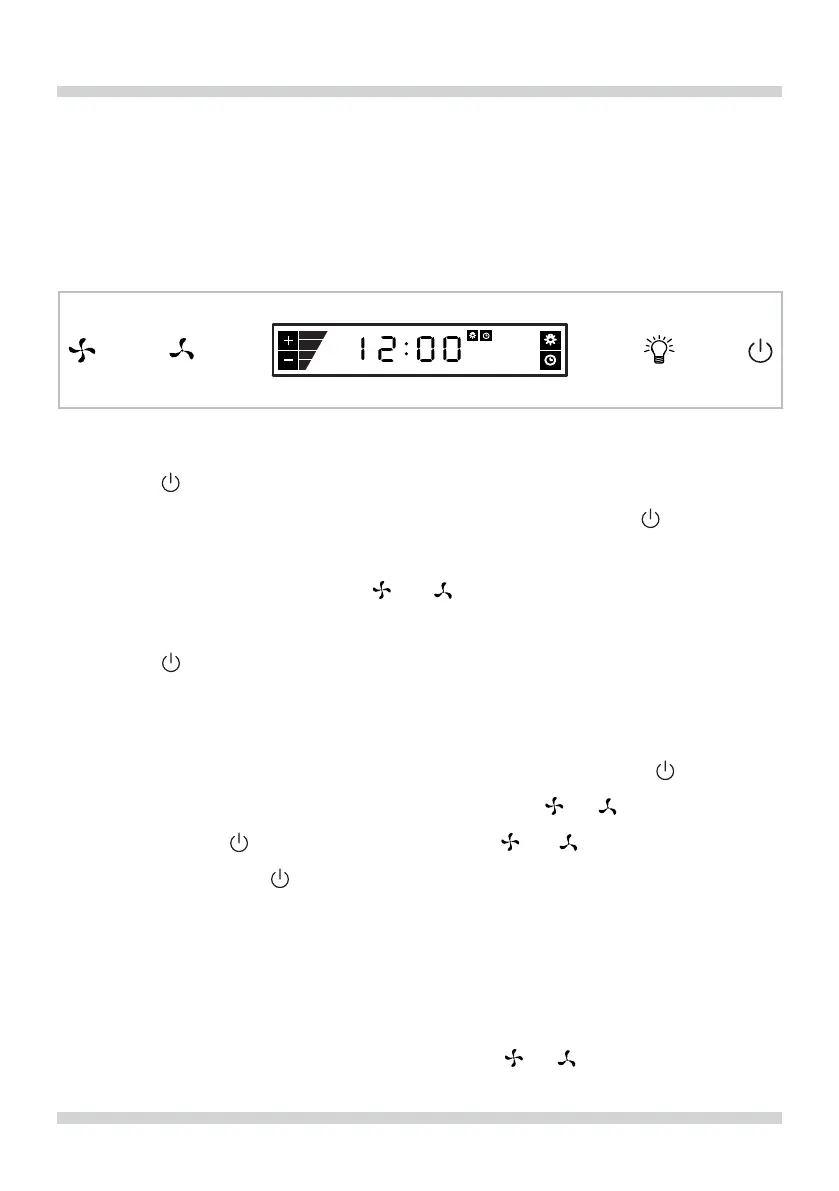
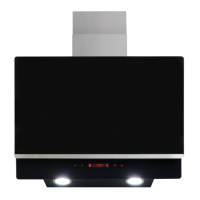
Control Panel
ON/OFF Key/Delay timer:
Press the key to turn on or o the extractor. If the extractor is turned
on, the delay timer can be activated by pressing the key again.
The display will show the clock symbol, ashing for approximately
4 seconds. By pressing the or keys, the delay timer can be
adjusted (maximum 9 minutes). In order to deactivate the timer delay,
press the key again.
Clock setting
To set the clock on your extractor, press and hold the key for 2
seconds. The clock display will ash. Use the or keys to set the
hour, press the key and then use the or keys to adjust the
minutes. Press the key to conrm. Please note that if no key is
pressed for 5 seconds whilst setting the time then the clock will return
to its previous setting.
Adjusting the fan speed
Once the extractor is turned on, press the or keys to set and
Fig. 1
USING YOUR EXTRACTOR


 To Next Page