
 Need help?
Do you have a question about the Amino Aria 6X and is the answer not in the manual?
Read and follow safety instructions for product handling, environment, and power supply.
Details the Power/Activity LED and various connection ports like HDMI, Analogue A/V, Ethernet, USB, and power input.
Options for connecting the Aria 6X to a TV via HDMI (recommended) or Analogue A/V, and Wi-Fi setup.
Connect an HDMI cable to the HDMI output of the Aria 6X and to the HDMI input of your A/V amplifier.
Connect the supplied power adapter to the DC power input of the Aria 6X and then to the mains supply.
Details EU directives (RE, RoHS, WEEE) and conformity standards for the product.
Amino Communications Ltd. declares compliance with EU Directive 2014/53/EU for radio equipment.
Specifies operating temperature range and WLAN frequency band details.
Details FCC compliance for Class B digital devices and RF exposure limits.
Guidance on proper disposal of Amino products according to WEEE Directive.
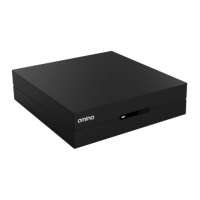
The Amino Aria 6X is a versatile IP Digital set-top box designed to deliver a rich multimedia experience. It serves as a central hub for your entertainment, connecting to your television and home network to provide access to various content and services. The device is engineered for ease of use, with a focus on simple setup and reliable performance.
The primary function of the Aria 6X is to receive and decode digital content, presenting it on your television screen. It acts as an interface between your service provider's network and your display, translating digital signals into viewable video and audible audio. The device supports both high-definition (HDMI) and standard-definition (Analogue A/V) outputs, ensuring compatibility with a wide range of televisions, from modern flat-screens to older models.
For network connectivity, the Aria 6X offers both wired (Ethernet) and wireless (Wi-Fi) options. The Ethernet port provides a stable and high-speed connection, ideal for streaming high-bandwidth content without interruption. For users who prefer a cable-free setup, the internal single-band Wi-Fi allows for flexible placement within your home, connecting to your wireless network. The choice between wired and wireless connectivity allows users to optimize their setup based on their home network infrastructure and personal preferences.
The Aria 6X is designed to be user-friendly, with a clear Power/Activity LED indicator on the front panel. This LED provides immediate visual feedback on the device's status: blue indicates the device is on, a flashing blue light signifies an infra-red (IR) command has been received from the remote control, and red indicates standby mode. This simple visual cue helps users quickly understand the device's operational state.
The device also includes a USB port, which can be used for various functions depending on the service provider's configuration. This port offers potential for expanded functionality, such as connecting external storage devices or other peripherals, enhancing the overall utility of the set-top box.
Setting up the Aria 6X is straightforward, with clear instructions provided for connecting to your television and power supply. For optimal video and audio quality, HDMI is the recommended connection method. Users simply connect an HDMI cable from the Aria 6X's HDMI output to an HDMI input on their TV or A/V amplifier. This digital connection ensures the best possible picture and sound, supporting high-definition content.
For televisions that do not have HDMI inputs, the Aria 6X offers an Analogue A/V output. This connection uses a 3.5 mm jack to 3 x RCA cable, providing composite video and analogue stereo audio (left/right). This ensures that users with older TVs can still enjoy content through the Aria 6X, albeit at standard definition. The flexibility in output options makes the Aria 6X adaptable to various home entertainment setups.
Powering the Aria 6X is equally simple. The device comes with a specific power adapter tailored to your local region. Users connect the power adapter to the DC power input on the Aria 6X and then plug it into a mains supply. It is crucial to use only the supplied power adapter to ensure safe and correct operation and to maintain warranty validity.
The Aria 6X is operated using a remote control, which is typically included with the device. The remote control allows users to navigate menus, select content, and control playback. The flashing blue LED on the device confirms when a command has been successfully received from the remote, providing immediate feedback to the user.
For network connectivity, if Wi-Fi is enabled on your Aria 6X, your service provider will provide detailed instructions for configuring the wireless network settings. This process typically involves selecting your home Wi-Fi network and entering the password, allowing the device to connect to the internet without the need for an Ethernet cable.
The device is designed for indoor use only and should be placed in a location that allows for adequate ventilation. It is important to keep at least 10cm (4 inches) of space around the product to prevent overheating, as the device can become warm during operation. Avoiding placement on soft furnishings or carpets helps ensure proper airflow and prevents the blocking of ventilation holes.
The Aria 6X is designed to be a low-maintenance device, with no user-serviceable parts. All servicing should be referred to qualified service personnel. Users are advised not to attempt to dismantle the product.
For cleaning, the device should be disconnected from the mains supply. A dry cloth should be used to wipe the device, avoiding any liquids or abrasive cleaners. This helps maintain the device's appearance and prevents damage to its electronic components.
Protecting the power supply cord from damage is an important maintenance consideration. Users should ensure the cord is not kinked, pinched, or placed where it could be walked on or run over by furniture. A damaged power cord can pose a safety risk and impair the device's functionality.
The Aria 6X is designed to be robust, but it should be handled with care. It should not be exposed to liquids, rain, or moisture, as this can cause severe damage to the internal electronics. Similarly, the device should not be subjected to physical shock or vibration, or placed where it might fall over, to prevent internal component damage.
In situations where the device will be left unused for long periods, such as during extended vacations, or during electrical storms, it is recommended to disconnect the product from the mains supply. This helps protect the device from potential power surges or other electrical issues. The power supply cord acts as the disconnect device, and removing it from the mains isolates the product from the power source.
The Aria 6X is protected by a clear plastic film when new, which should be removed before use. This film helps protect the device's finish during shipping and handling.
The device is built to comply with various safety and regulatory standards, ensuring its safe operation within the specified environmental conditions. It is important to adhere to the recommended operating temperature range of 5 °C to 40 °C (40 °F to 104 °F) to ensure optimal performance and longevity.
In summary, the Amino Aria 6X is a user-friendly and versatile IP Digital set-top box that offers a comprehensive entertainment solution. Its robust design, flexible connectivity options, and straightforward operation make it an ideal choice for integrating digital content into your home entertainment system. By following the simple usage and maintenance guidelines, users can ensure a reliable and enjoyable experience with their Aria 6X.
 General
| Composite Output | Yes |
|---|---|
| Scart Output | No |
| EPG | Yes |
| Teletext | Yes |
| Subtitles | Yes |
| Timeshift | Yes |
| Video Output | HDMI, Composite |
| Connectivity | Ethernet |
| Operating System | Linux-based |
| Resolution | 1080p |
| Tuner Type | DVB-T2/C |
| Video Formats | MPEG-2, MPEG-4 H.264 |
| Audio Formats | AAC |
| Recording | Via USB |

 To Next Page