Need help?
Do you have a question about the Amino Aria 7X and is the answer not in the manual?
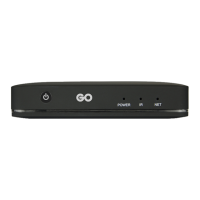
Describes the meaning of blue and red LED indicators for power and IR commands.
Details the functions of Analogue A/V, HDMI, Ethernet, Reset, USB, and DC power input ports.
Connects via 3.5mm jack to RCA cables for composite video and stereo audio.
Utilizes HDMI cable for the best quality audio and video output to the TV.
Details on connecting the Aria 7X to a wireless network via internal 2.4 GHz Wi-Fi.
Lists European directives and conformity standards for the product.
Information on HDMI, Dolby trademarks and protected technologies.
Details the manufacturer, address, and the EU Declaration of Conformity.
Specifies operating temperature and WLAN frequency band details.
Explains FCC compliance, potential interference, and user correction measures.
Provides important notes on RF exposure, co-location, and installation distance.
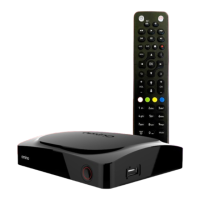
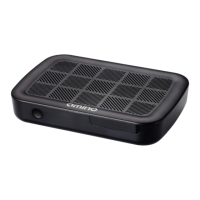
The Amino Aria 7X is a set-top box designed for receiving and processing audio and video signals, offering various connectivity options for integration into a home entertainment system. It serves as a central hub for media consumption, providing both high-definition digital and standard-definition analogue outputs to accommodate different television and amplifier setups.
The primary function of the Aria 7X is to deliver audio and video content to a connected display or amplifier. It supports both HDMI for the best quality digital output and analogue A/V for compatibility with older equipment. The device is designed to be user-friendly, with a simple LED indicator on the front panel that communicates its operational status: blue for active, flashing blue for infrared command reception, and red for standby. This visual feedback helps users quickly understand the device's current state.
For network connectivity, the Aria 7X includes an Ethernet port for a wired connection, ensuring stable internet access for streaming or other network-dependent services. Additionally, an internal 2.4 GHz Wi-Fi option is available for wireless network configuration, offering flexibility in placement within a home environment without the need for extensive cabling. This allows the device to access online content and services, expanding its utility beyond traditional broadcast reception.
The Aria 7X also features a USB port, which can be used for various purposes as guided by the service provider, potentially enabling media playback from external storage devices or other functionalities. A reset button is included for troubleshooting, though its use is typically reserved for guidance from a service provider, preventing accidental resets by the user.
Connecting the Aria 7X to a television or A/V amplifier is straightforward, with clear instructions provided for both HDMI and analogue A/V connections. For optimal picture and sound quality, HDMI is recommended, connecting the Aria 7X's HDMI output to an HDMI input on the TV or amplifier. For older systems, the analogue A/V output provides composite video and stereo audio via a 3.5 mm jack to RCA cable, ensuring broad compatibility. Users are advised to switch off all system devices and disconnect them from the mains electrical supply before making or changing any cable connections to prevent damage.
Powering the device is done via the supplied power adapter, which is specific to the user's region. It is crucial to use only the provided adapter to ensure safe and correct operation and to maintain warranty validity. The power adapter connects to the DC power input on the Aria 7X and then to the mains supply.
The device is designed for indoor use only and should be placed on a stable surface, avoiding soft furnishings or carpets that could obstruct ventilation. Adequate air circulation, with at least 10 cm (4 inches) of space around the product, is necessary to prevent overheating during operation. Users should also avoid placing the device near heat sources or in locations where it might be subject to physical shock or vibration.
The remote control, along with its batteries, is an essential accessory for interacting with the Aria 7X, allowing users to navigate menus and control playback. The flashing blue LED on the device confirms that an infrared command has been received from the remote, providing immediate feedback to the user.
The Aria 7X is designed with minimal user maintenance in mind. It contains no user-serviceable parts, and all servicing should be referred to qualified service personnel. Users are explicitly warned against attempting to dismantle the product.
For cleaning, the device should be disconnected from the mains supply, and only a dry cloth should be used. Exposure to liquids, rain, or moisture should be avoided to prevent damage. The clear plastic film protecting the front panel window, which houses the Power/Activity LED, should be removed before use to ensure proper visibility of the indicator.
To ensure longevity and safe operation, users should protect the power supply cord from damage and disconnect the product from the mains supply if it will be left unused for long periods or during electrical storms. The power supply cord itself acts as the disconnect device, isolating the product from the mains when removed.
The product's design emphasizes safety and compliance with various international standards, including European Approvals and FCC regulations. Users are advised to follow all safety instructions carefully, including those related to placement, power supply usage, and environmental conditions, to ensure the device operates correctly and safely. In case of any issues or questions regarding wireless network configuration or other advanced features, users are encouraged to contact their service provider for detailed instructions and support.
 General
| USB Ports | 1 x USB 2.0 |
|---|---|
| Video Output | HDMI |
| Connectivity | Wi-Fi, Ethernet |
| Audio Output | HDMI |
| Ethernet | 10/100 Ethernet |
| Remote Control | IR remote control |
| Wi-Fi | 802.11 b/g/n |

 To Next Page