EasyManua.ls Logo

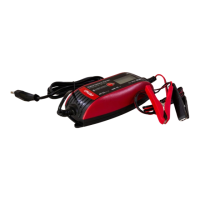
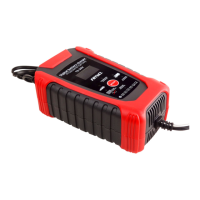
AMiO HB-ZN04 - User Manual

AMiO HB-ZN04
12 pages
Print Icon
To Next Page IconTo Next Page
Loading...
P/N: 02088
1
EN - USER MANUAL
Digital battery charger HB-ZN04/ 02088
Read the operating instructions carefully before use!
Save them for future reference!
SAFETY INSTRUCTIONS:
During the charging process, explosive gases may be
produced. Do not use open re and ensure appropriate
ventilation during the charging process.
Never attempt to charge a frozen battery.
Never charge the battery when the engine is running.
Do not use the appliance in damp or wet areas. Do not
expose the appliance to rain.
When not in use, store the appliance in a dry place out of
the reach of children.
Keep children and onlookers at a safe distance when the
appliance is in use. Keep children under supervision to
make sure they do not play with the appliance.
Check the appliance to see if any parts are damaged.
Do not use the appliance if it is damaged or not working
properly, or if the power cord or plug are damaged.
Take the appliance to an authorized service center to be
checked, repaired or adjusted.
Do not attempt to charge dry cell batteries with the
appliance, they can explode and cause fatal or personal
injury, and/or material damage.
The appliance is only intended for charging/auxiliary
starting of 6V or 12V batteries.
It is not intended to be used to supply power to low
voltage systems.
Do not attempt to open the battery charger – risk of
electric shock.
Switch o the appliance and unplug the power cord when
it is not in use.
The manufacturer shall not be liable fo any damage
caused by the failure to use the battery charger in
accordance with this manual.
FIRST AID:
Eyes: If you get battery uid in your eyes, rinse with water for
at least 15 minutes and seek medical attention immediately.
Skin: If you get battery acid on your skin, rinse immediately
in plenty of fresh water and wash thoroughly with soap and
water. Seek medical attention if redness, pain or irritation
persists.
TECHNICAL PARAMETERS:
Input voltage: AC 220-240V
Output voltage: DC 6/12V
Maximum charging current:
motorcycle mode: 2A +/-10%
car mode: 4A +/-10%
Protection class: IP65
CONTROL:
1. Mode change button
2. Voltage display
3. 6V batteries charge mode
4. Cold mode for temperatures below 0ºC
5. 12V batteries charge mode
6. Charging with 4A current, which is used for larger capaci
-
ty batteries, e.g. cars, boats
7. Charging with 2A current, which is used for low-capacity
batteries, e.g. motorcycles, snowmobiles, quads, etc.
8. Icon showing the progress of the battery charge
Charging modes:
Battery voltage 6V capacity below 14Ah ambient
temperature above 0ºC – FULL 7,2V
Battery voltage 6V capacity below 14Ah ambient
temperature below 0ºC – FULL 7,4V
Battery voltage 12V capacity below 14Ah ambient
temperature above 0ºC – FULL 14,3V
Battery voltage 12V capacity below 14Ah ambi-
ent temperature below 0ºC – FULL 14,7V
Battery voltage 12V capacity above 14Ah ambient
temperature 0ºC – FULL 14,3V
Battery voltage 12V capacity above 14Ah ambi-
ent temperature 0ºC – FULL 14,7V,7V
Examples of display indications:
Incorrect connection to the battery, check the pole con-
nection. Red „+” black „-”. The error will also appear if the
battery is deeply discharged or damaged.
Correct connection, the display shows the battery voltage
Battery fully charged
USE:
Before the use of the charger is started, it is absolutely
essential to check its technical condition. Check the
condition of the connecting cables and the plug - if their
damage is observed, replace the damaged element.
Check the condition of the housing - if it is damaged, the
EN
Question and Answer IconNeed help?

Do you have a question about the AMiO HB-ZN04 and is the answer not in the manual?

Summary

Control Panel Overview

Mode Change Button

Button to cycle through different charging modes.

Voltage Display

Screen showing battery voltage and charging status.

6 V Battery Charge Mode

Indicator for charging 6V batteries.

Cold Temperature Mode

Enables charging in sub-zero temperatures.

12 V Battery Charge Mode

Indicator for charging 12V batteries.

4 A Charging Current

Used for larger capacity batteries like cars or boats.

2 A Charging Current

Used for low-capacity batteries like motorcycles.

Charging Progress Indicator

Icon displays the current progress of the battery charge.

Safety Instructions and Precautions

Explosive Gas Hazard

Warning about explosive gases during charging; ensure ventilation.

Frozen Battery Charging

Do not attempt to charge a frozen battery.

Engine Running Charging

Never charge the battery when the engine is running.

Wet Area Usage

Do not use in damp/wet areas or expose to rain.

Storage and Children Safety

Store in dry place, keep children at safe distance and supervised.

Appliance Condition Check

Check for damage; do not use if damaged or cord/plug is faulty.

Authorized Service

Take to authorized service for check, repair, or adjustment.

Dry Cell Battery Warning

Do not charge dry cell batteries to prevent explosion.

Intended Use

For 6V/12V batteries only; not for low-voltage systems.

Electric Shock Risk

Do not open the charger to avoid electric shock.

Power Off and Unplug

Switch off and unplug when not in use.

Manufacturer Liability

Manufacturer not liable for damage due to misuse.

First Aid Measures

Eye Contact

Rinse eyes for 15 mins and seek medical attention for battery fluid.

Skin Contact

Rinse skin with water, wash with soap; seek medical help if irritation persists.

Technical Parameters

Input Voltage

AC 220-240V input voltage.

Output Voltage

DC 6/12V output voltage.

Maximum Charging Current

Max 2A for motorcycles, 4A for cars.

Protection Class

IP65 rated for dust and water protection.

Usage Instructions

Connection Examples

Displays for incorrect connection (error) and correct connection (voltage).

Fully Charged Indication

Display shows 'FULL' when the battery is fully charged.

Pre-Use Checks

Essential to check technical condition, cables, plug, and housing.

Mains Voltage Check

Verify mains voltage matches type plate; check extension cord.

Battery Disconnection

Disconnect battery from installation before charging.

Battery Preparation

Slacken plugs, check acid level, fill with demineralized water if needed.

Connecting Clamps

Connect red clamp to positive (+), black to negative (-).

Charger Connection

Connect charger to power source after placing it away from battery.

Charging Process

Charging starts after power connection; display shows voltage.

Post-Charging Steps

Disconnect charger, remove cables, tighten caps, check electrolyte.

Battery Ready for Use

Battery is ready for use after completing charging steps.

Avoid Incomplete Charging

Incomplete charging shortens battery life.

Declaration of Conformity

Product Identification

Details product model, identifier, manufacturer, and serial number.

Compliant Directives and Standards

Lists directives (EMC, LVD) and harmonized standards complied with.

EC Market Test

Information about the EC market test conducted by EUROFINS.

Manufacturer Information

Specifies manufacturing location and company details.

Environmental Protection

Product Disposal

Do not dispose with household waste; recycle responsibly.

Customer Responsibility

Contact local supplier for information on differentiated collection and recycling.

AMiO HB-ZN04 Specifications

General IconGeneral
Input Voltage100-240V AC
Output Voltage12V DC
Output Current4A
Charging Ports1
LED IndicatorYes
ProtectionOvercharge, Short circuit, Reverse polarity
Battery Type CompatibilityLead-acid batteries

Related product manuals