U.S. Radio Frequency FCC Compliance
This device complies with Part 15 of the FCC Rules. Operation is subject to the following two
conditions:
(1) This device may not cause harmful interference, and
(2) This device must accept any interference received, including interference that may cause
undesired operation.
This equipment has been tested and found to comply with the limits for a Class B digital
device, pursuant to Part 15 of the FCC Rules. These limits are designed to provide reasonable
protection against harmful interference in a residential installation. This equipment generates,
uses, and can radiate radio frequency energy and, if not installed and used in accordance with
the instructions, may cause harmful interference to radio communications. However, there is
no guarantee that interference will not occur in a particular installation. If this equipment does
cause harmful interference to radio or television reception, which can be determined by turning
the equipment off and on, the user is encouraged to try to correct the interference by one or
more of the following measures:
• Reorient or relocate the receiving antenna.
• Increase the separation between the equipment and receiver.
• Connect the equipment into an outlet on a circuit different from that to which the receiver is
connected.
• Consult the dealer or an experienced radio/TV technician for help.
Any Changes or modifications not expressly approved by the party responsible for compliance
could void the user’s authority to operate the equipment.
ISED RSS Warning:
This device complies with Innovation, Science and Economic Development Canada licence-
exempt RSS standard(s). Operation is subject to the following two conditions: (1) this device may
not cause interference, and (2) this device must accept any interference, including interference
that may cause undesired operation of the device. Le présent appareil est conforme aux CNR
d’ISED applicables aux appareils radio exempts de licence. L’exploitation est autorisée aux
deux conditions suivantes: (1) l’appareil ne doit pas produire de brouillage, et (2) l’utilisateur de
l’appareil doit accepter tout brouillage radioélectrique subi, même si le brouillage est susceptible
d’en compromettre le fonctionnement.
has also been tested against this SAR limit. The device was tested for typical body-worn
operations to keep the AMP Bridge at least 20cm from the body. When worn on body must be
correct back clip for this product, use of non-approved accessories may result in exposure levels
which exceed the uncontrolled environmental RF exposure limits.
Le SAR de IC est limité à 16w / kg, avec une moyenne par gramme. Produits Type: AMP Bridge,
type: AMP Bridge Wifi and RF (IC: 25624-AMPWIFIHUB) a également été testé pour la limite
SAR. Ce dispositif est utilisé pour tester des opérations d ‘usure corporelle typiques et des
opérations en direction du Haut de physique, de manière à maintenir une distance d’ au moins
20cm entre le AMP Bridge et le visage. Osure.`
Quick Start Guide for
AMP USB Bridge
Product
Certification
AMP USB Bridge allows the user to link their motorized Shades, Blinds,
and Draperies into a Wi-Fi network, enabling control via smart APP and
interaction with other IoT products.
Step 1 Download APP
Please scan the QR code below.
Step 2
Please scan the QR code below to learn more about linking the AMP USB Bridge
with your home Wi-Fi router, setting up the AMP APP, and establishing a connection
with other IoT applications.
Quick Start Guide for
AMP USB Bridge
Product
Certification
AMP USB Bridge allows the user to link their motorized Shades, Blinds,
and Draperies into a Wi-Fi network, enabling control via smart APP and
interaction with other IoT products.
Step 1 Download APP
Please scan the QR code below.
Step 2
Please scan the QR code below to learn more about linking the AMP USB Bridge
with your home Wi-Fi router, setting up the AMP APP, and establishing a connection
with other IoT applications.
Quick Start Guide for
AMP USB Bridge
Product
Certification
AMP USB Bridge allows the user to link their motorized Shades, Blinds,
and Draperies into a Wi-Fi network, enabling control via smart APP and
interaction with other IoT products.
Step 1 Download APP
Please scan the QR code below.
Step 2
Please scan the QR code below to learn more about linking the AMP USB Bridge
with your home Wi-Fi router, setting up the AMP APP, and establishing a connection
with other IoT applications.
Quick Start Guide for
AMP USB Bridge
Product
Certification
AMP USB Bridge allows the user to link their motorized Shades, Blinds,
and Draperies into a Wi-Fi network, enabling control via smart APP and
interaction with other IoT products.
Step 1 Download APP
Please scan the QR code below.
Step 2
Please scan the QR code below to learn more about linking the AMP USB Bridge
with your home Wi-Fi router, setting up the AMP APP, and establishing a connection
with other IoT applications.
AMP
™
Bridge
Quick Start Guide
Declarations Step 1
Step 2
AMP Bridge allows the user to link their motorized Shades, Blinds, and Draperies into a Wi-Fi
network enabling control via smart APP and interaction with other IoT products and Third Party
Integration.
Please scan the QR Code below to download the app.
Please scan the QR Code below to learn more about linking the AMP Bridge with your home Wi-
Fi router, setting up the AMP APP, and establishing a connection with other IoT applications.
Quick Start Guide for
AMP USB Bridge
Product
Certification
AMP USB Bridge allows the user to link their motorized Shades, Blinds,
and Draperies into a Wi-Fi network, enabling control via smart APP and
interaction with other IoT products.
Step 1 Download APP
Please scan the QR code below.
Step 2
Please scan the QR code below to learn more about linking the AMP USB Bridge
with your home Wi-Fi router, setting up the AMP APP, and establishing a connection
with other IoT applications.
IC SAR Warning:
The SAR limit of IC is 1.6W/Kg averaged over one gram of tissue.
Product Type: AMP Bridge, model number: AMP Bridge Wifi and RF (IC: 25624-AMPWIFIHUB)
FCC SAR Warning:
RF Exposure Information (SAR): The SAR limit of USA (FCC)is 1.6W/Kg averaged over one gram
of tissue.
Product Type: AMP Bridge (FCC ID: 2AU29AMPRFWIFIHUB) has also been tested against this
SAR limit. The device was tested for typical body-worn operations to keep the AMP Bridge at
least 20cm from the body. When worn on body must be correct back clip for this product, use
of non-approved accessories may result in exposure levels which exceed the uncontrolled
environmental RF exposure limits.

 Need help?
 General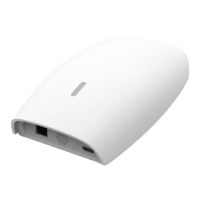

 To Next Page