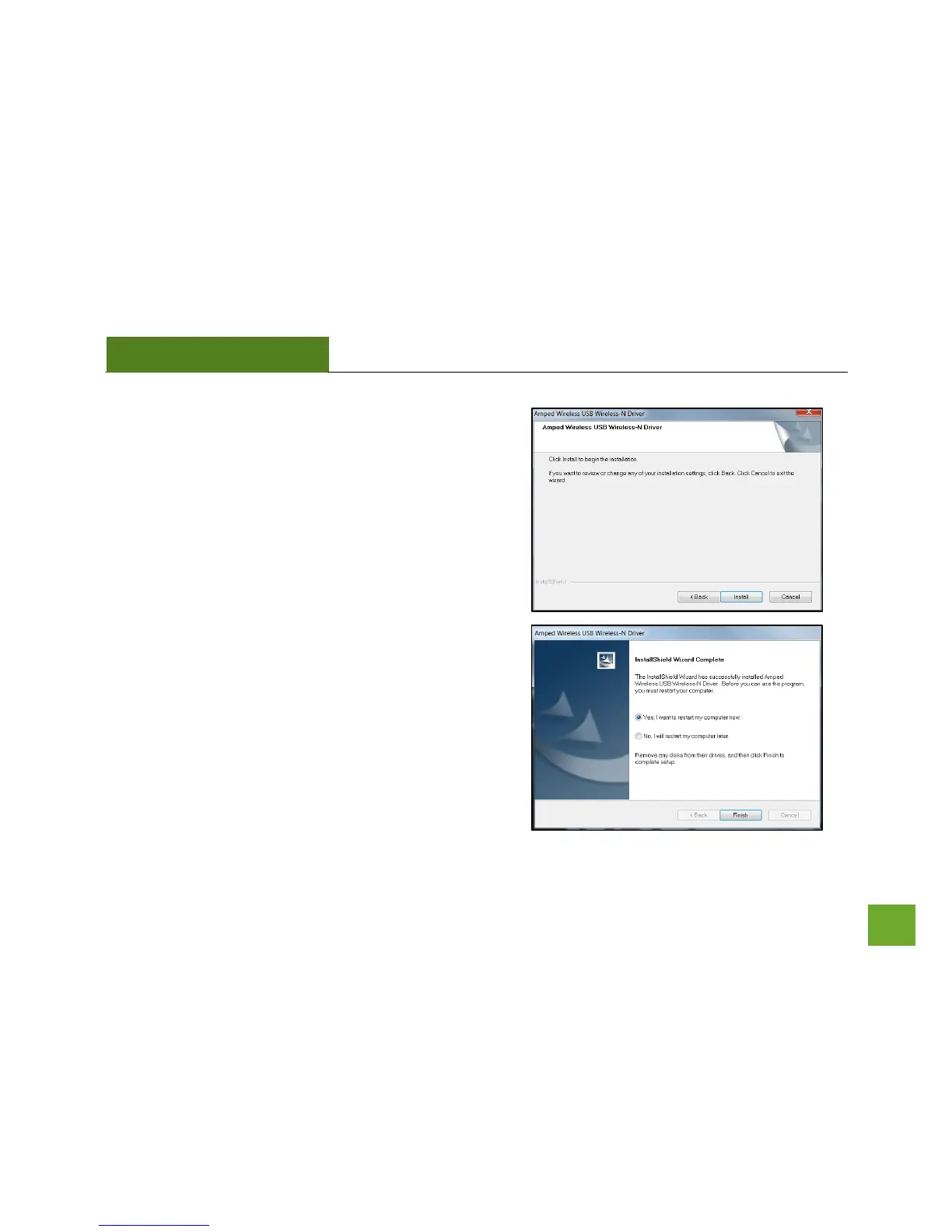
f) Continue with the Installation
Click Install to proceed to the next step
g) Restart your Computer
A prompt will appear asking you to restart your
computer. Select Yes and click Finish to restart your
computer. Be sure to save any unsaved work before
clicking Finish to avoid losing any unsaved data.


 To Next Page