
 Need help?
Do you have a question about the Ampere TOWER PRO S and is the answer not in the manual?
Defines the manual's purpose for installing AMPERE Tower Pro S/M and its intended audience.
Lists abbreviations used and provides AMPERE Power Energy S.L. contact details.
Details various warning symbols used to convey hazards, instructions, and important tips.
Covers general warnings, potential hazards for people (shock, explosion) and equipment.
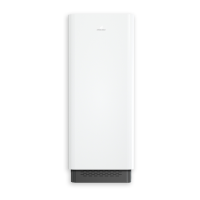
Introduces the AMPERE Tower Pro as an energy storage system and its connectivity.
Lists and illustrates main components like cabinet, batteries, and essential installation cables.
Presents various wiring configurations and protection element capacities for different models.
Details general, battery, inverter, EMC, safety, and regulatory specs for Tower Pro S models.
Lists general, battery, inverter, EMC, safety, and regulatory specs for Tower Pro M models.
Identifies and labels key components and connection ports on the Tower PRO unit.
Explains the product label detailing model, capacity, power, and operational parameters.
Provides guidelines for suitable installation locations and environmental conditions.
Specifies the need for a solid wall capable of supporting the system's weight and load.
Emphasizes safety, the need for multiple installers, and lists necessary tools.
Covers safety equipment, unpacking procedures, and fixing the wall mounting.
Details connecting the system to AC mains and PV modules, including wiring specifics.
Instructions for careful handling and correct placement of master/slave battery modules.
Explains connections and ports for master and slave battery modules, including communication cables.
Guides on installing the energy meter and selecting recommended models based on installation type.
Explains the importance of internet connection for optimization, updates, and remote monitoring.
Outlines checks before startup and the procedure for the initial power-on test.
Interprets battery LEDs for status and provides troubleshooting steps for errors.
Details final startup steps, casing closure, and filter fitting.
Step-by-step guide for safely shutting down the system, including battery disconnection.
Lists PC requirements and instructions for downloading and preparing the configuration file.
Guides on loading the configuration file via USB and connecting to the internet.
Instructions for cleaning fan and outlet filters, and their expected lifespan.
Outlines general maintenance, cable checks, and cooling system inspection.
States that warranty is valid only if installation instructions are strictly followed.
Details wiring and communication for the ET112 single-phase energy meter.
Details power and communication connections for the EM111 single-phase energy meter.
Explains wiring and current transformer connections for EM271 single/three-phase meters.
Guides on connecting an additional meter for monitoring PV generation from external systems.

 To Next Page
 General