4 | INS5777A - 04/2020
Quick Start Guide
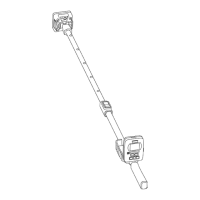
ReachMaster Pro has a sensor unit and display unit assem-
bled on a telescopic handle for remote access.
Before getting started, the sensor module and display
module should be turned ON. For this, pull off the battery
insulatorassembledasarststepfromboththesensorand
display modules.
Sensor Module
a. Power ON Key : Press this Key to turn the sen-
sor module on.
b. Status LED: A multi-color LED is provided to indi-
cate the state of the sensor unit.
Display Module
a. Power ON Key
i. Press this key to turn the display unit on.
ii. The same key is also used as an Enter option,
and to make selection from the menu.
b. Settings Key :Tochangethedevicecongura-
tion, press this key to go to Settings Menu.
c. Up/Increment Key :
i. Press this key to navigate through the user
menu in Settings.
ii. The same key is also used to increase the incre-
ment of the sensitivity scale in the measurement
screen.
iii. When in measurement mode, press and hold for
2 seconds to enable sensitivity.
d. Down/Decrement Key :
i. Press this key to navigate through the user
menu in Settings.
ii. When in measurement screen, the same key
is also used to decrease the increment of the
sensitivity scale
iii. When in measurement mode, press and hold for
2 seconds to enable sensitivity..
e. Ref/Hold/Back Key :
i. When in the measurement screen, press and
hold for 2 seconds to enter Ref Mode.
ii. Press to freeze/unfreeze reading in the measure-
ment screen.
iii. Press to go back to the previous menu when in
settings/ref screen.


 To Next Page