STANDBY MODE
ode interface inclu de 2 part: y ear/month/date/hour/minute; Talk record/
enu mode, monitor . ( besides play
as unread call history, message, motion detection record, alarm record, then it will has a
nd press Setting button to co ord interface to check the
digital photo frame mode will play the pictures in SD card in standby mode.
6
04-2 6- 2019
20:05
10
5
8
When insert SD card in to monitor SD card slot, the system will create a “Digital Frame”
folder, user need to put the pictures into this folder before system play them.
MENU OPERATIONS
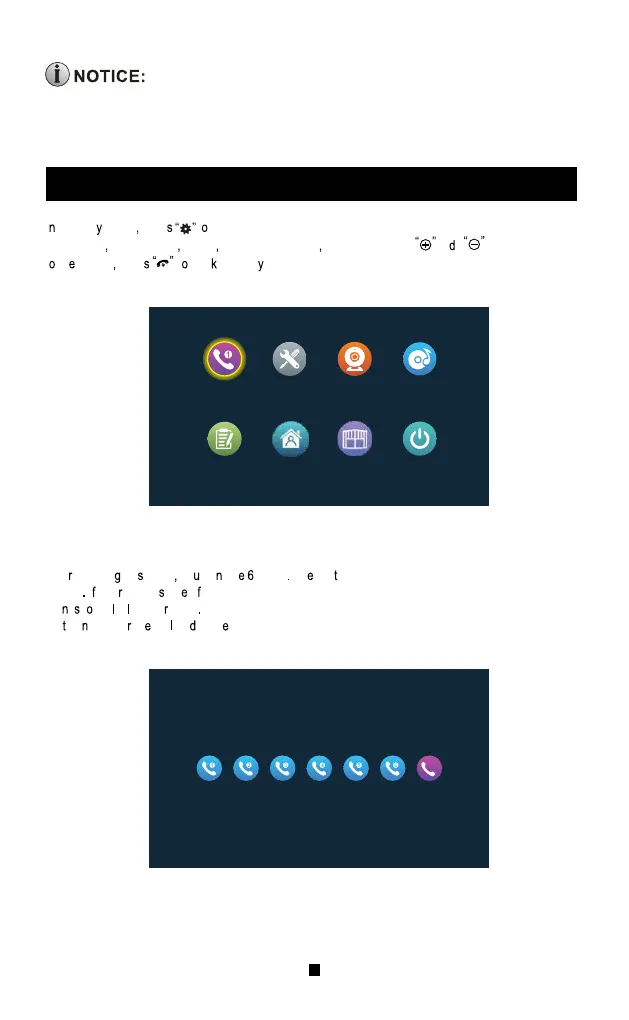
I standb mode pres t enter the main menu. The main menu include: Call Extensions, Setting,
Monitoring
Multi-Media Event At Home, Lock-up Standby. Press an to move the cursor
t
th option pres t bac standb mode.
Afte enterin thi page yo ca se icons Th firs five are other extensions except the local
device
I use select on o them to call, user can talk to the other extension (indoor unit). The sixth
ico
i t cal al indoo units After selecting this icon to call, all indoor units will ring, only one indoor
uni
ca answe th cal an mak intercom.
1.Call Extensions
Extension call
Event
Setting
At home
Monitoring
Lock
Media
Standby
All
14



 To Next Page