8
SOLEADO – INSTALLATION MANUAL
OPERATING THE REMOTE
3. Level Button
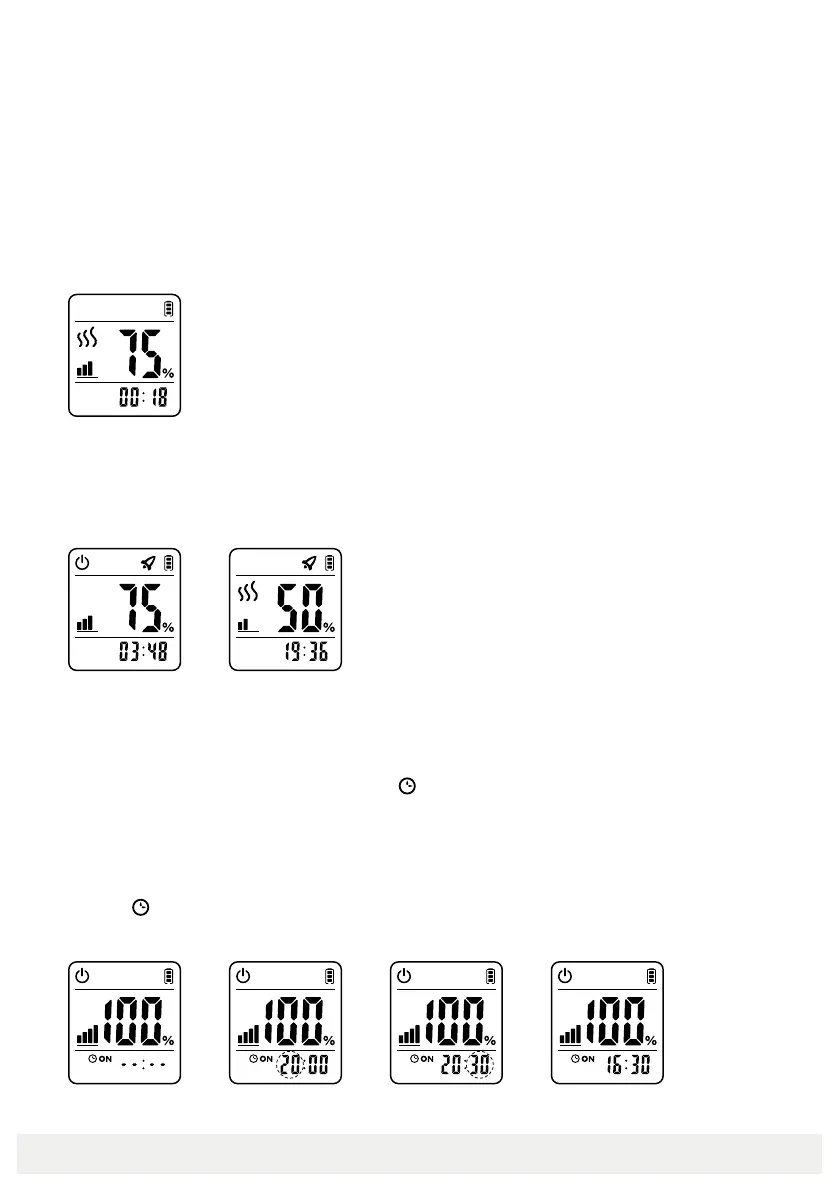
Press Level button to adjust the power when the heater is on (as shown in picture 3-1).
4. Fast Hot Button
Press Fast Hot button to turn the Fast Hot function on and off. The Fast Hot function lets the
heater run at full power for a certain time, to achieve the purpose of rapid heating.
5. Timer On Button
If the heater is off, to set a timer to turn the heater on do the following:
1 Press Timer On button. Display will show “
ON” --:-- (as shown in picture 5-1).
2 Press up or down to change the hour (as shown in picture 5-2).
3 Press Timer On button. The hours will stop flashing and the minutes will flash.
4 Press up or down to change the minutes (as shown in picture 5-3).
5 Press Timer On button again to finish timer function. Display will show the present time
and “
ON”. (Example in picture 5-4 shows current time of 4:30pm and that timer is set
to turn on, with timer having been set to 8:30pm as in previous steps).
5-1 5-2 5-3 5-4
4-1 4-2


 To Next Page
 Loading...