3
1. Plug in speaker and charge batteries overnight.
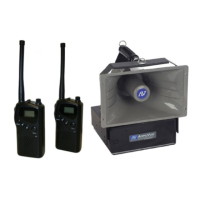
2. Install battery into speaker transmitter S1691T and connect
to the 1/4″ output jack on the SW915 using the supplied
1/4″ to 1/8″ cable.
3. Turn both the SW915 and S1297 units on with POWER
switch.
4. The wireless receiver has its own POWER / VOLUME Con-
trol. Before you turn on the receiver, screw on the UHF
antenna. Turn Power On. A Frequency Channel will appear
in the Channel Display. Press UP/DOWN Buttons to select
a channel. Channel number must match channel number
on wireless transmitter. Before turning on the wireless
speaker transmitter, use the provided screwdriver to set the
transmitter channel selector switch to the same number
that is displayed on the receiver.
5. Turn on wireless speaker transmitter S1691T. If the RF
LED on the S1297 receiver lights up you are now all set.
6. Adjust the VOLUME knob, located in the center of panel, as
needed to the appropriate level.
7. In the rare event that you cannot get a clear signal on any
of the channels, turn off both the S1691T wireless transmit-
ter and the S1297 receiver and use the 40 ft. audio cable
supplied to directly connect the SW915 LINE OUT jack to
the S1297 LINE IN jack.
If you need further assistance, please call
1-800-267-5486, 8am-6pm M-F CST .
Getting Started/Quick Setup (Also Printed on Battery Cover)
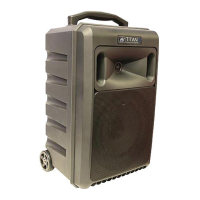
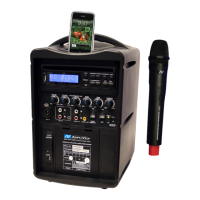
S1297 SPECIFICATIONS
Rated Power Output 250W RMS
Battery (2) 12 volt rechargeable, 7.2 AH,
User accessible and replaceable
AC Power 110-220 V. Auto sensing, 50/60 Hz,
Wireless Range Up to 300 Feet
UHF Wireless Frequency 655—679 MHz
Frequency Response: 40Hz to 20Khz
Sensitivity 96dB
Line input: Buffered, 600 ohm, 1/4in.jack (pre fader)
Weight: 35 lbs.
Dimensions (HWD ): 23in.H x 11.5in. W x 11in. D
Warranty 6 years Electronics; 1 year on
Rechargeable Batteries.


 To Next Page