6
Feature Sensitivity Adjustment
The Instrument provides three levels of sensitivity. When
the unit is switched on, it is set to the Medium sensitivity
level.
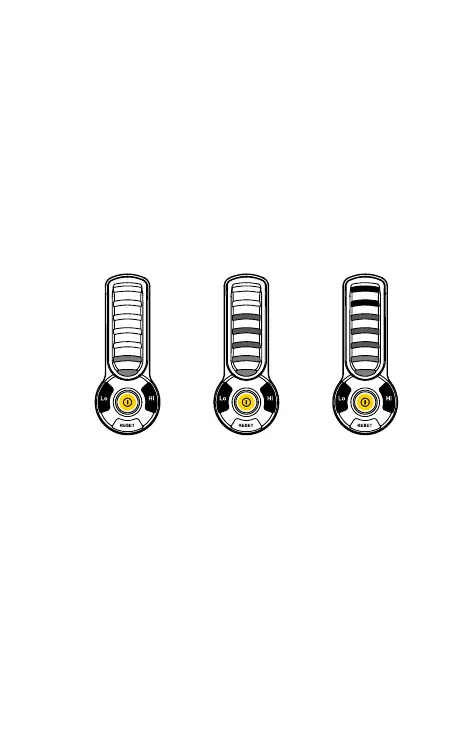
• To change the sensitivity, press the “Lo” key.
When the key is pressed, the visual display will
momentarily show the two bottoms LED’s (green)
indicating Low Sensitivity level is selected.
• To switch back to High Sensitivity, press the “Hi”
key. The all LED’s (2 Green+2 Orange+3 Red) will
light momentarily indicating high Sensitivity level
is selected.
Low
Sensitivity level
(Green LED)
Medium
Sensitivity level
(Orange LED)
High
Sensitivity level
(Red LED)



 To Next Page