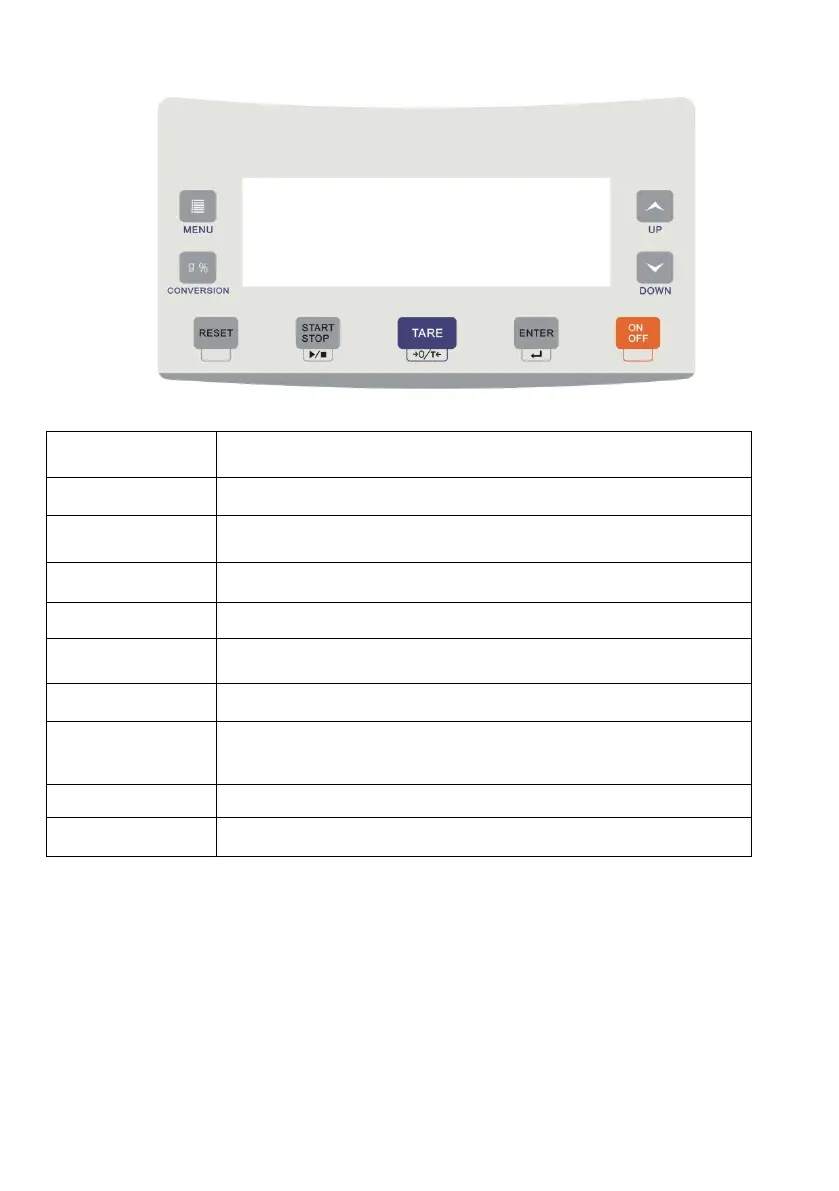
3.3. Keypad
NAME Key Features
ON/OFF Power on / off, Just off the internal DC power supply
START / STOP Start heated/ stop heated
TARE Weighing peeled, Settings exit
MENU Enter the setting menu
CONVERSION Switching measurement results
ENTER Confirm the current setting, go to next
RESET
Return to the weighing mode (short press), calibration
UP Add
3.4 First testing
1. First test, if not change the temperature and time settings, the moisture meter
defaults to factory defaults.
2. Put empty sample pan on the holder (see section 2.3).
3. Press the “TARE” to clean weight.
4.Put the sample on the pan (Sample weight should be heavy than 1g, the general 3-5g).
5. Close the heating cover, press the "Start / Stop" button to start the test. At this point,
4


 To Next Page