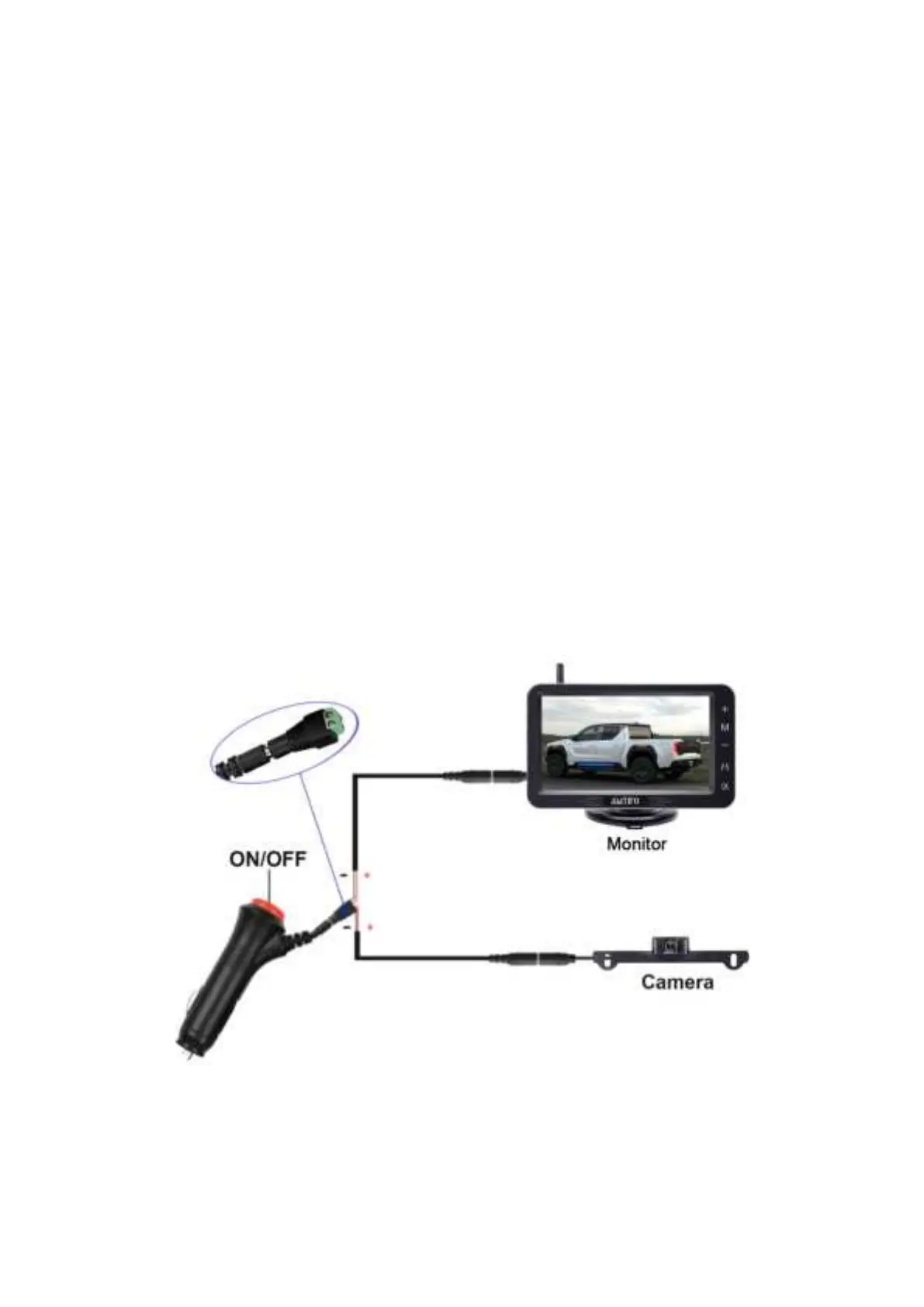
2)Before installation, you must test the device. Please reference the
image below.
A. Plug power cords to the monitor and connect the power wires to
camera (red-red, black-black).
B. Loosen the screws on green adapter, then insert the red wire
(copper wire) to the Positive(+) slot, and the black wire(copper
wire) to the Negative(-) slot.
C. Plug in the cigarette lighter and turn on the red switch. If you see
an image on monitor, it means that the display is functioning
properly.
Tips:
Test to make sure that your surroundings appear/display on the


 To Next Page