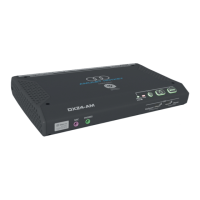
Need help?
Do you have a question about the Amulet Hotkey DXZ4 series and is the answer not in the manual?
Connecting essential peripherals like keyboard, mouse, and audio devices.
Connecting display monitors, network cables, and power supply.
Steps for establishing a connection to a remote PCoIP host.
Instructions for changing the default administrator password for security.
Configuring different PCoIP session connection types.
Using PCoIP Connection Manager for centralized device administration.
Configuring zero clients to connect to virtual desktops in VMware View.
Information on using third-party connection brokers for PCoIP systems.
Detailed steps for updating the BSM firmware on zero clients.
Procedure for obtaining the necessary BSM firmware update files.
Instructions for transferring firmware files to the BSM using TFTP.
Descriptions of common fault conditions and their resolutions.
 General
| Brand | Amulet Hotkey |
|---|---|
| Model | DXZ4 series |
| Category | Server |
| Language | English |

 To Next Page