3. Design layout in Coreldraw,
add “paper size” in printer driver,
print out the design. ( Please check video if needed )
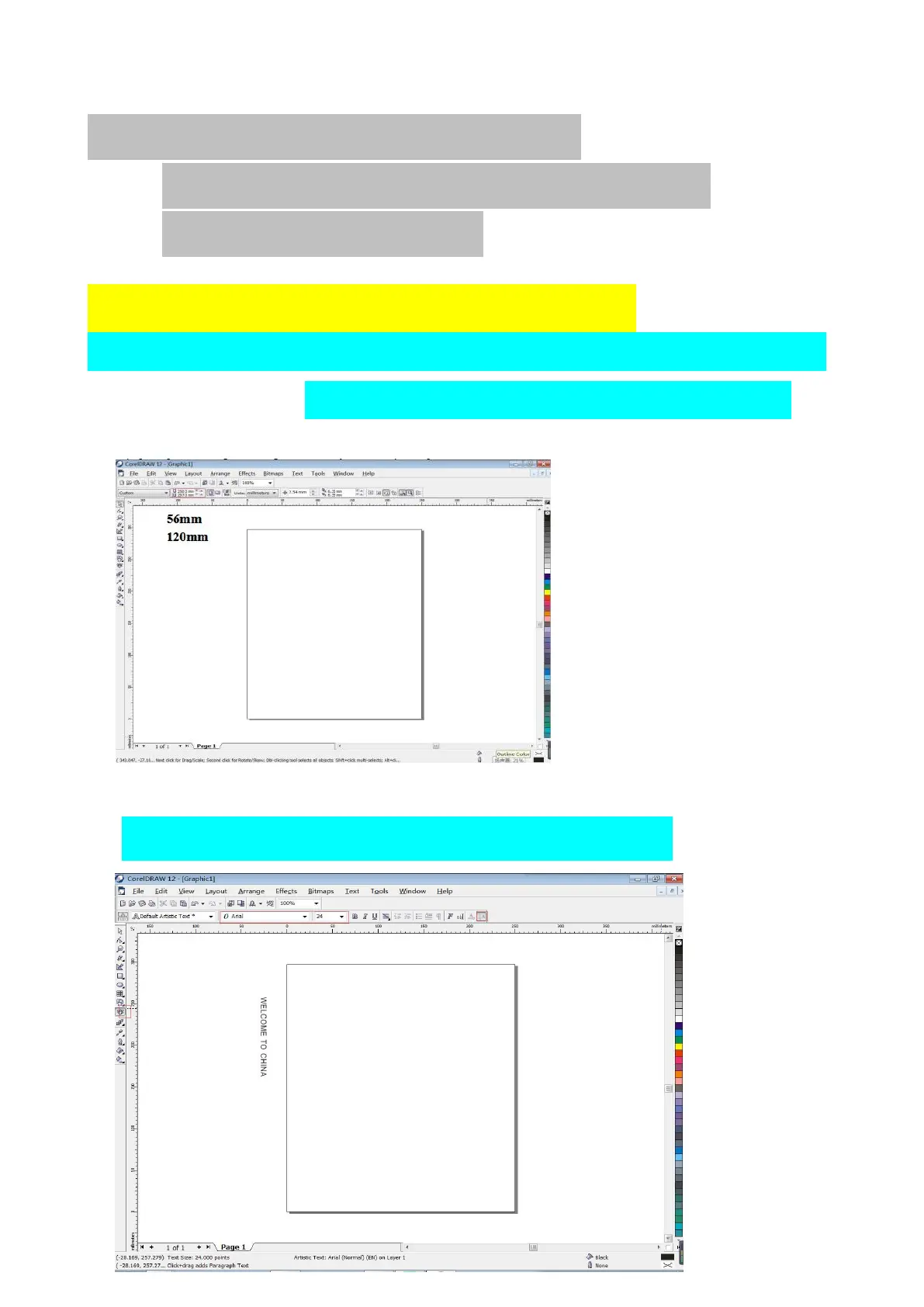
(1)Set page size 56mm*120mm
Notice: width is default, length must be same of content you want to print.
Eg. We set 56*120mm.
( width 56mm is to make sure printing centered )
【unit must be mm】
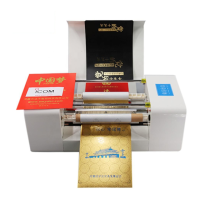
(2)Use the text tool, and vertical tool to enter text and modify the font and size.
Words and pictures color must be black.


 To Next Page