④
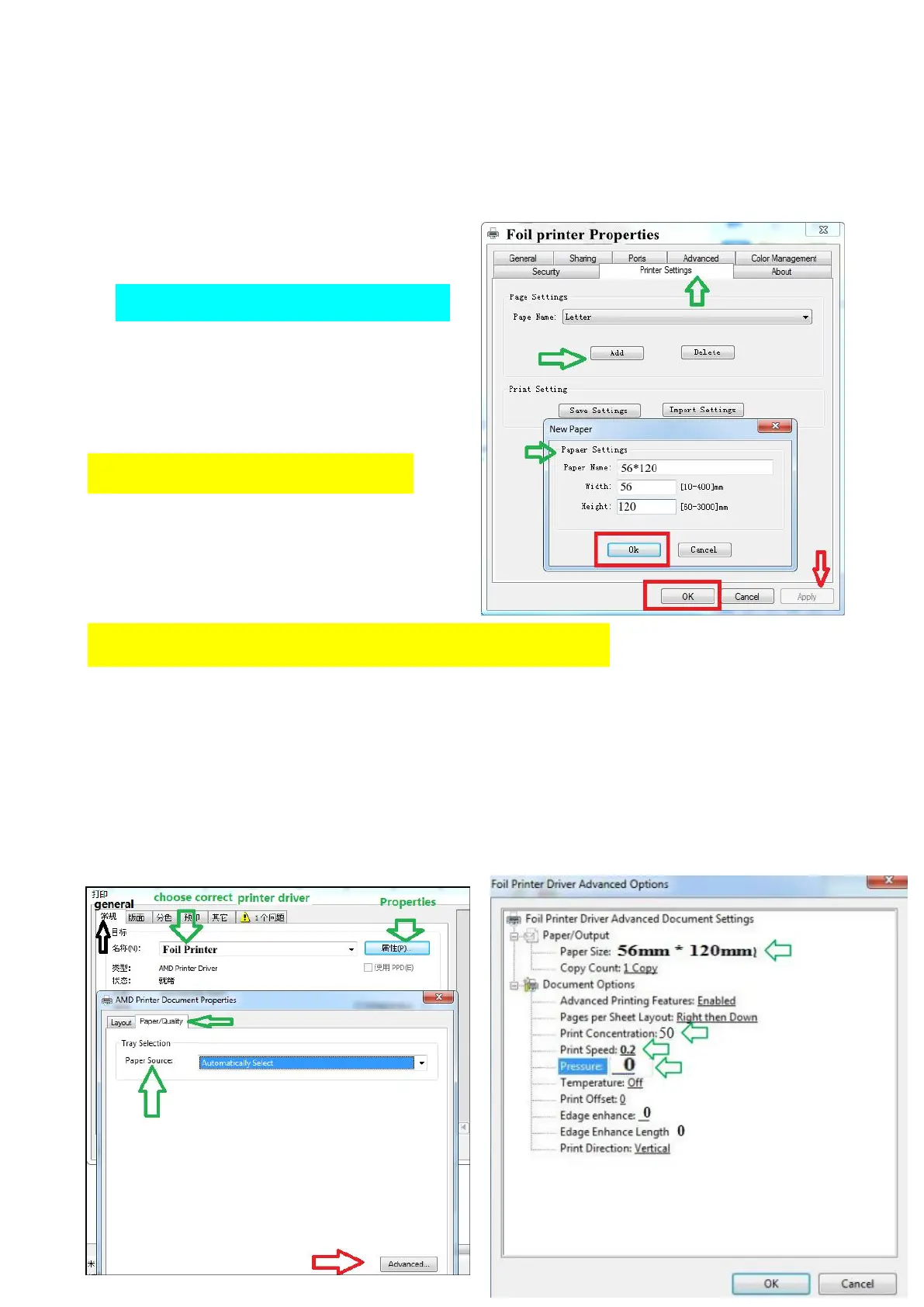
Find and click “Printer Settings” , click “Add”, comes out “New Paper”,
Paper name can be any name you like, write “AB” or write “paper size”,
Width: 56, Height (length): 120
same size to page size in coreldraw.
Finish “paper size” adding.
Back to design software Coreldraw:
(1) Click “print” in CorelDraw, pops out a box, choose correct printer
driver “Foil printer”, then click “properties”, pops out another box, click
“Paper/Quality”, Paper Source: Automatically Select, click “advance”, pops
out another box: Foil Printer Driver Advanced Options


 To Next Page