AMYET
e DISPLAY AND SETTING
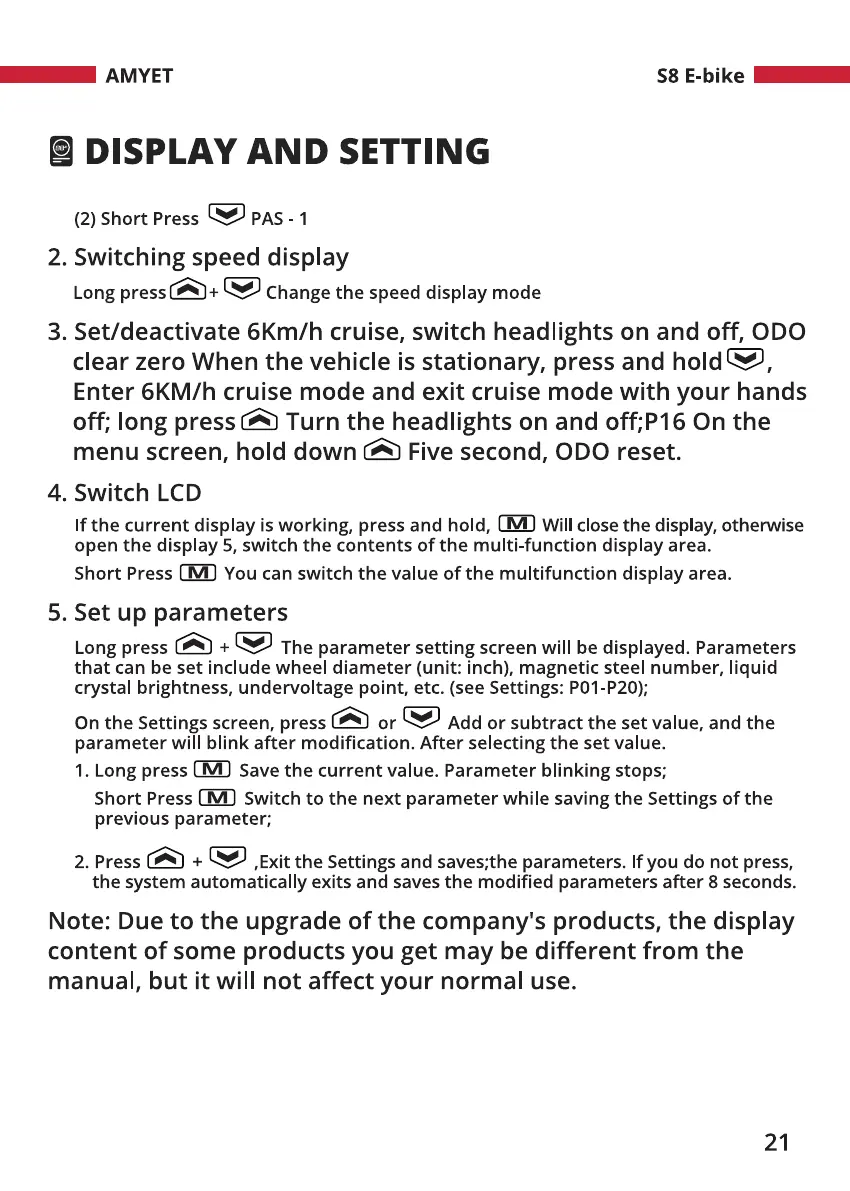
(2) Short Press PAS - 1
2. Switching speed display
Long Change the speed display mode
S8 E-bike
3. Set/deactivate 6Km/h cruise, switch headlights on and off, ODO
clear zero When the vehicle is stationary, press and hold e,
Enter 6KM/h cruise mode and exit cruise mode with your hands
off; long press@ Turn the headlights on and off;P16 On the
menu screen, hold down Five second, ODO reset.
4. Switch LCD
If the current display is working, press and hold, Will close the display, otherwise
open the display 5, switch the contents of the multi-function display area.
Short Press You can switch the value of the multifunction display area.
5. Set up parameters
Long press + The parameter setting screen will be displayed. Parameters
that can be set include wheel diameter (unit: inch), magnetic steel number, liquid
crystal brightness, undervoltage point, etc. (see Settings: POI-P20);
On the Settings screen, press or Add or subtract the set value, and the
parameter will blink after modification. After selecting the set value.
1. Long press Save the current value. Parameter blinking stops;
Short Press Switch to the next parameter while saving the Settings of the
previous parameter;
2.Press CA) + ,ExittheSettingsandsaves;theparameters.Ifyoudonotpress,
the system automatically exits and saves the modified parameters after 8 seconds.
Note: Due to the upgrade of the company's products, the display
content of some products you get may be different from the
manual, but it will not affect your normal use.
21


 To Next Page
 Loading...