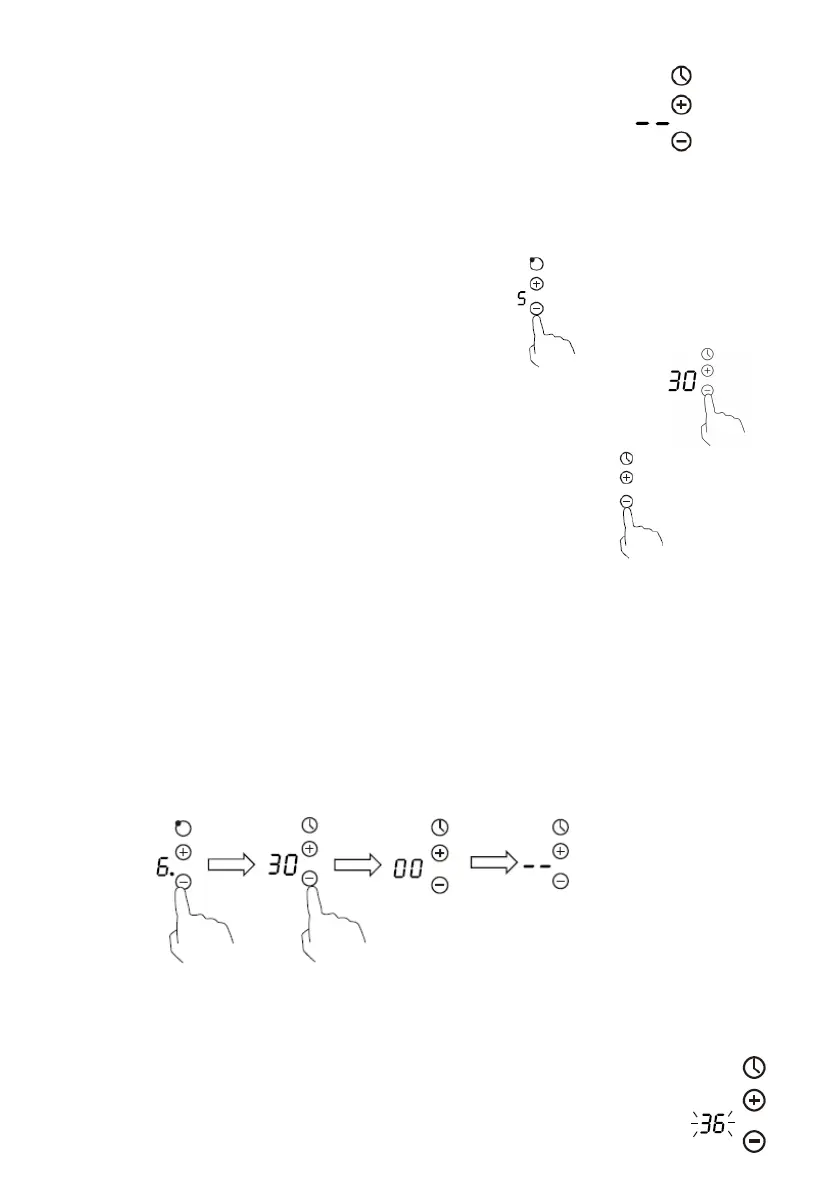
6. Buzzer will beep for 30 seconds and the timer indicator
shows “- -” when the set time finished.
Setting the timer to turn one cooking zone off
1. Touch the “-“ or ”+” control of the heating zone
that you want to set the timer for.
2.Touch the “-“ or ”+” control of the timer, the minder indicator will
start flashing and “30” will show in the timer display.
.
3. Set the time by touching the control of the timer.
Hint: Touch the “-” or “+” control of the timer once will decrease or increase by 1 minute.
Touch and hold the “-” or “+” control of the timer will decrease or increase by 10
minutes.
If the setting time exceeds 99 minutes, the timer will automatically return to 0 minute.
4.Touching the “-” or “+” of heating zone, then touch the “-” or “+” controls of the timer,
and scrolling down to “0”, the timer is cancelled, “00” will show in the minute display, then
and then “--”.
5.When the time is set, it will begin to count down immediately. The display will show
the remaining time and the timer indicator flash for 5 seconds.


 To Next Page