EasyManua.ls Logo

amzchef YL-IF7018S-5B5B3B1B - User Manual

amzchef YL-IF7018S-5B5B3B1B
156 pages
Print Icon
To Next Page IconTo Next Page
Loading...
Instruction Manual
Bedienungsanleitung
Manuel d'instructions
Manuale di istruzioni
Manual de instrucciones
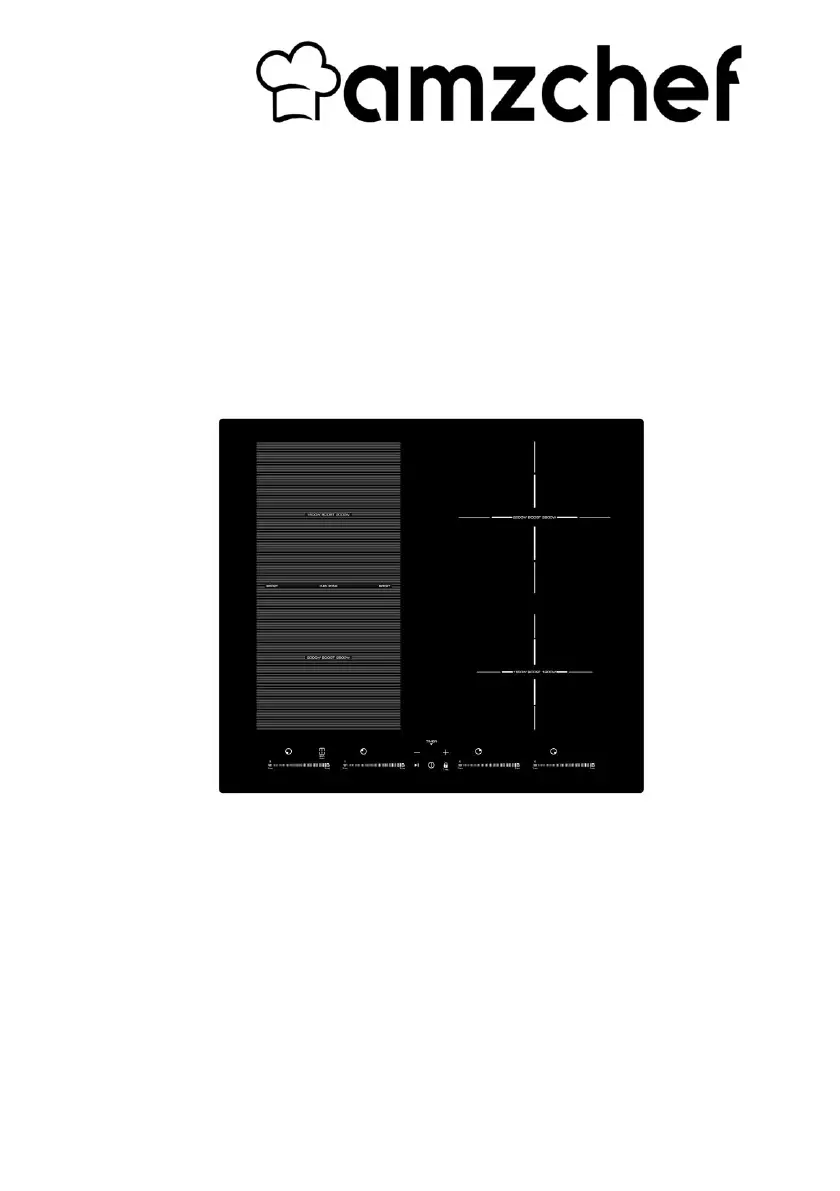
YL-IF7018S-5B5B3B1B
220-240V~, 50-60Hz
Induction Hob
Induktionskochfeld
Table de cuisson à induction.
Piano di cottura a induzione
Encimera de inducción
PLEASE READ INSTRUCTIONS CAREFULLY BEFORE ASSEMBLY
RETAIN THIS MANUAL FOR FUTURE REFERENCE

Questions and Answers

  • M
    Mary WardAug 12, 2025
    How to prevent glass from being scratched on amzchef YL-IF7018S-5B5B3B1B Hob?
    • M
      Melissa SanchezAug 12, 2025
      Scratches on the glass of your amzchef Hob can be caused by rough-edged cookware or using abrasive cleaning products. Use cookware with flat, smooth bases. Refer to ‘Choosing the right cookware’ and ‘Care and cleaning’ for more information.
  • J
    Jacqueline JacksonAug 16, 2025
    What to do if pans do not become hot on my amzchef Hob?
    • C
      cooperdonnaAug 16, 2025
      If your pans aren't heating up and you see a symbol on the display, it could be due to unsuitable cookware or incorrect placement. Ensure you're using induction-compatible cookware and that the pan's base matches the cooking zone size and is centered properly.
  • R
    Robert GonzalezAug 19, 2025
    How to fix amzchef YL-IF7018S-5B5B3B1B that cannot be turned on?
    • A
      Adrian ButlerAug 19, 2025
      If your amzchef Hob won't turn on, first, ensure it's properly connected to a working power supply and switched on. Check for any power outages in your home or area. If the issue persists after these checks, it's best to consult a qualified technician.
  • P
    peterkhanAug 23, 2025
    Why is my amzchef Hob making a fan noise?
    • W
      William HollandAug 23, 2025
      The fan noise from your amzchef Hob is normal. It indicates that the cooling fan is working to prevent the electronics from overheating. Allow the fan to run, even after the hob is turned off, and avoid disconnecting the power while it's running.
  • E
    Elizabeth WilliamsAug 27, 2025
    What to do if touch controls are unresponsive on amzchef Hob?
    • S
      Sherri BrownAug 27, 2025
      If the touch controls on your amzchef Hob are unresponsive, the controls may be locked. To unlock them, refer to the ‘Using your induction cooktop’ section for specific instructions.
  • S
    Samuel WrightAug 30, 2025
    What to do if amzchef YL-IF7018S-5B5B3B1B turns off unexpectedly?
    • J
      Julie BondAug 30, 2025
      If your amzchef Hob unexpectedly turns off, emits a tone, and displays an error code, note the error letters and numbers. Then, switch off the power to the hob at the wall and contact a qualified technician.
  • S
    Stephanie CarrollSep 4, 2025
    Why are touch controls difficult to operate on my amzchef YL-IF7018S-5B5B3B1B?
    • V
      Victoria WalkerSep 4, 2025
      If you're finding the touch controls on your amzchef Hob difficult to use, ensure the control area is dry and use the ball of your finger when touching the controls. A slight film of water or using the tip of your finger can affect responsiveness.
  • J
    Janet BradshawSep 7, 2025
    Why does amzchef Hob make a humming noise?
    • F
      fberrySep 8, 2025
      A low humming noise from your amzchef Hob during high heat settings is normal due to the induction cooking technology. The noise should decrease or disappear when you lower the heat setting.

Summary

Safety Warnings

Electrical Shock Hazard

Warnings about electrical shock during installation and maintenance.

Cut Hazard

Warnings about sharp edges on panels and scraper.

Important Safety Instructions

General safety guidelines for installation and operation.

Product Overview

Top View

Diagram and labels for the top view of the induction hob.

Control Panel

Diagram and labels for the control panel functions.

Choosing the Right Cookware

Using the Touch Controls

Instructions on how to operate the touch-sensitive controls.

Cookware Suitability Check

How to determine if cookware is suitable for induction cooking.

Pan Dimensions

Using Your Induction Hob

To Start Cooking

Step-by-step guide to begin cooking on the hob.

Display Error Indicators

Explains common display errors and their causes.

Finishing Cooking

Instructions for turning off the cooking zones.

Flex Zone

Using as a Single Zone

How to activate and use the flexible area as one large cooking zone.

Using as Two Independent Zones

How to use the flexible area as two separate cooking zones.

Pot Placement Examples

Visual guide for correct and incorrect placement of cookware.

Flex Zone Operation Guide

Activate Single Big Zone

Steps to activate the flex zone as a single large cooking area.

Adjust Power Level

How to set the power level for the flex zone.

Cancel Flex Zone

Steps to deactivate the flex zone function.

Barbecue Function

Keep Warm Function

Pause Function - STOP+GO

Locking the Controls

Unlocking the Controls

Over-Temperature Protection

Detection of Small Articles

Auto Shutdown Protection

Using the Timer

Timer as Minute Minder

Using the timer as a simple countdown timer without controlling cooking zones.

Setting Timer for Zone Off

Setting the timer to automatically turn off a cooking zone.

Setting the Timer to Turn More Than One Cooking Zone Off

Cooking Guidelines

Cooking Tips

General advice for efficient and safe cooking practices.

Simmering, Cooking Rice

Specific techniques for simmering and cooking rice.

Searing Steak

For Stir-Frying

Heat Settings

Care and Cleaning

Everyday Soiling on Glass

How to clean fingerprints, marks, and stains from the glass surface.

Boilovers, Melts, and Hot Sugary Spills

How to remove difficult spills like sugar and melted food.

Spillovers on the Touch Controls

How to clean spills on the sensitive touch control area.

Troubleshooting

Induction Hob Cannot Be Turned On

Solutions for when the hob does not power on.

Touch Controls Unresponsive

Solutions for when the touch controls are locked or unresponsive.

Touch Controls Difficult to Operate

Solutions for when touch controls are hard to use.

Glass is Scratched

Causes and solutions for a scratched glass surface.

Pans Do Not Become Hot

Troubleshooting pans not heating up.

Failure Display and Inspection

F3;F4 - Coil Failure

Error code F3/F4 indicates induction coil failure.

F9;FA - IGBT Failure

Error code F9/FA indicates IGBT failure.

E1;E2 - Abnormal Supply Voltage

Error code E1/E2 indicates abnormal supply voltage.

E3 - Coil Temperature Sensor High

Error code E3 indicates high coil temperature.

E5 - IGBT Temperature Sensor High

Error code E5 indicates high IGBT temperature.

Technical Specification

Installation

Selection of Installation Equipment

Guidelines for choosing and preparing installation materials.

Ventilation and Safety Distances

Requirements for ventilation and safe clearance around the hob.

Before You Install the Hob

Checklist of conditions to meet before installation.

Adjusting the Bracket Position

Cautions

Connecting the Hob to the Mains Power Supply

Warranty

amzchef YL-IF7018S-5B5B3B1B Specifications

General IconGeneral
BrandAMZCHEF
ModelYL-IF7018S-5B5B3B1B
Hob typeInduction
Control typeTouch
Power levels9
TimerYes
Child LockYes
Overheat ProtectionYes
Voltage220-240V
Frequency50/60Hz
MaterialCeramic Glass

Related product manuals