BLUETOOTH CONNECTION
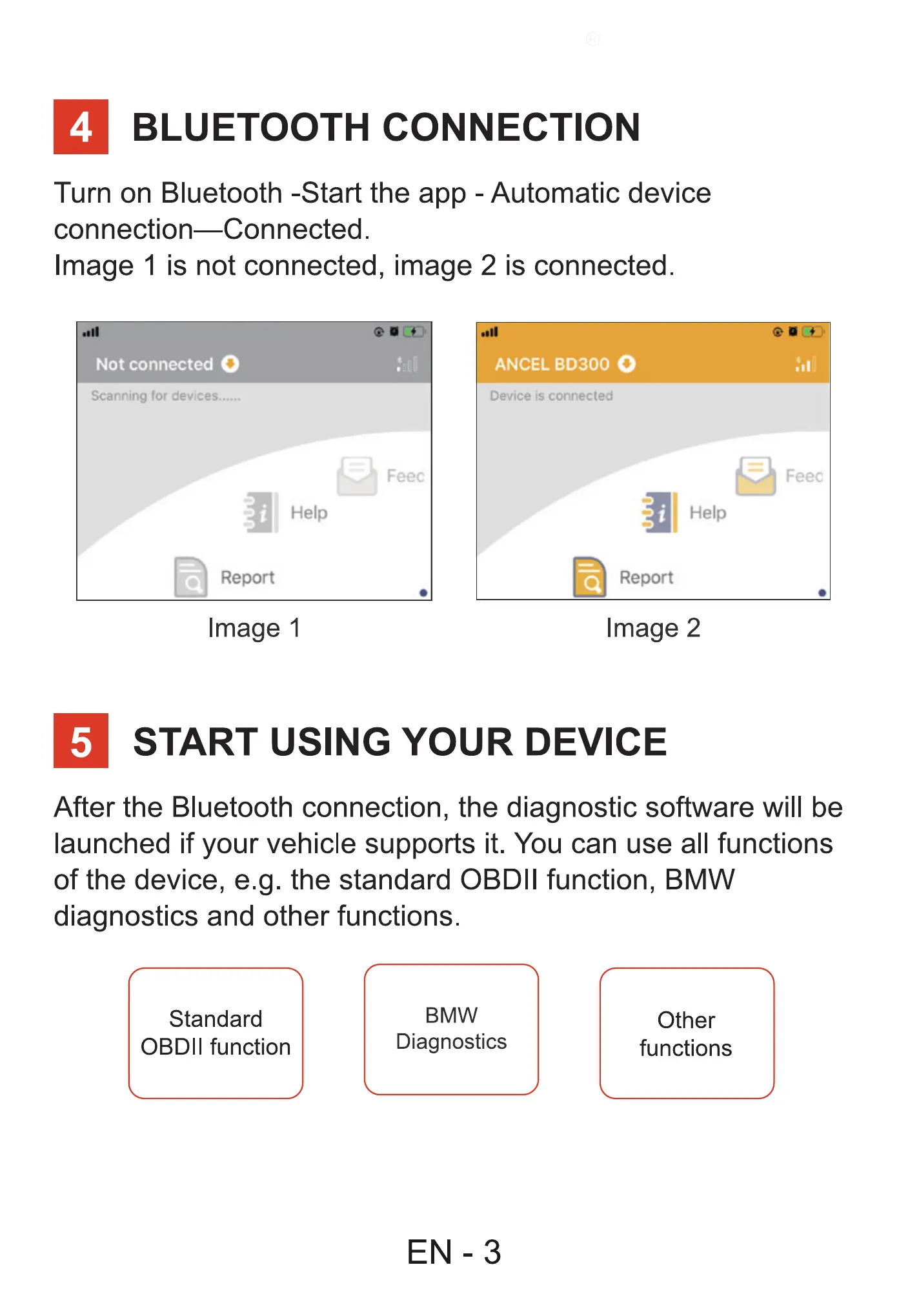
Turn on Bluetooth -Start the app - Automatic device
connection—Connected.
Image 1 is not connected, image 2 is connected.
Not connected O
Scanning for
Help
Report
Image 1
Feec
ANCEL BD300 0
Device is connected
Feec
Help
Report
Image 2
START USING YOUR DEVICE
After the Bluetooth connection, the diagnostic software will be
launched if your vehicle supports it. You can use all functions
of the device, e.g. the standard OBDII function, BMW
diagnostics and other functions.
Standard
OBDII function
BMW
Diagnostics
EN -3
Other
functions



 To Next Page