nnce
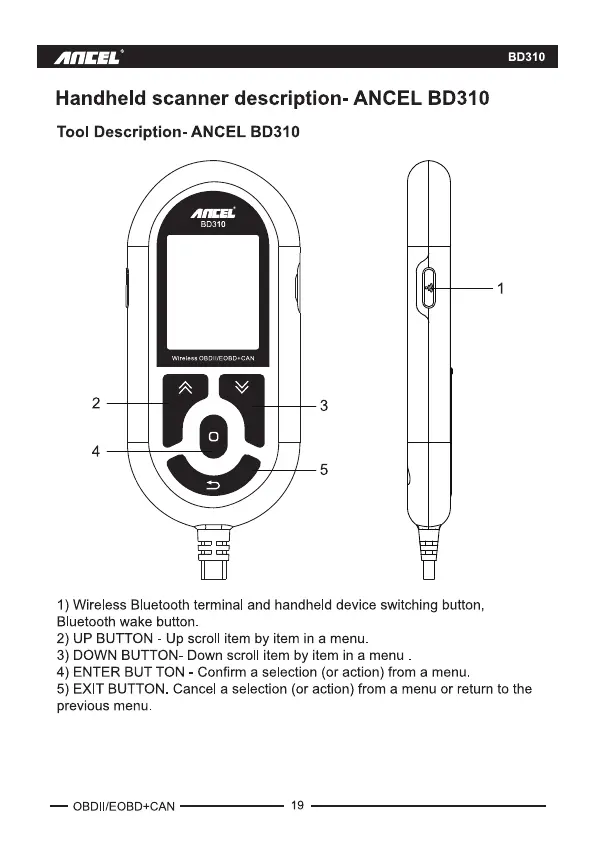
Handheld scanner description- ANCEL BD310
Tool Description. ANCEL BD310
BD310
BD310
2
4
3
5
1) Wireless Bluetooth terminal and handheld device switching button,
Bluetooth wake button.
2) UP BUTTON - Up scroll item by item in a menu
3) DOWN BUTTON- Down scroll item by item in a menu
4) ENTER BUT TON - Confirm a selection (or action) from a menu
5) EXIT BUTTON. Cancel a selection (or action) from a menu or return to the
previous menu.
— OBDII/EOBD+CAN
19



 To Next Page