EasyManua.ls Logo

Anchor bigfoot - User Manual

Anchor bigfoot
21 pages
Print Icon
To Next Page IconTo Next Page
Loading...
OWNER’S MANUAL
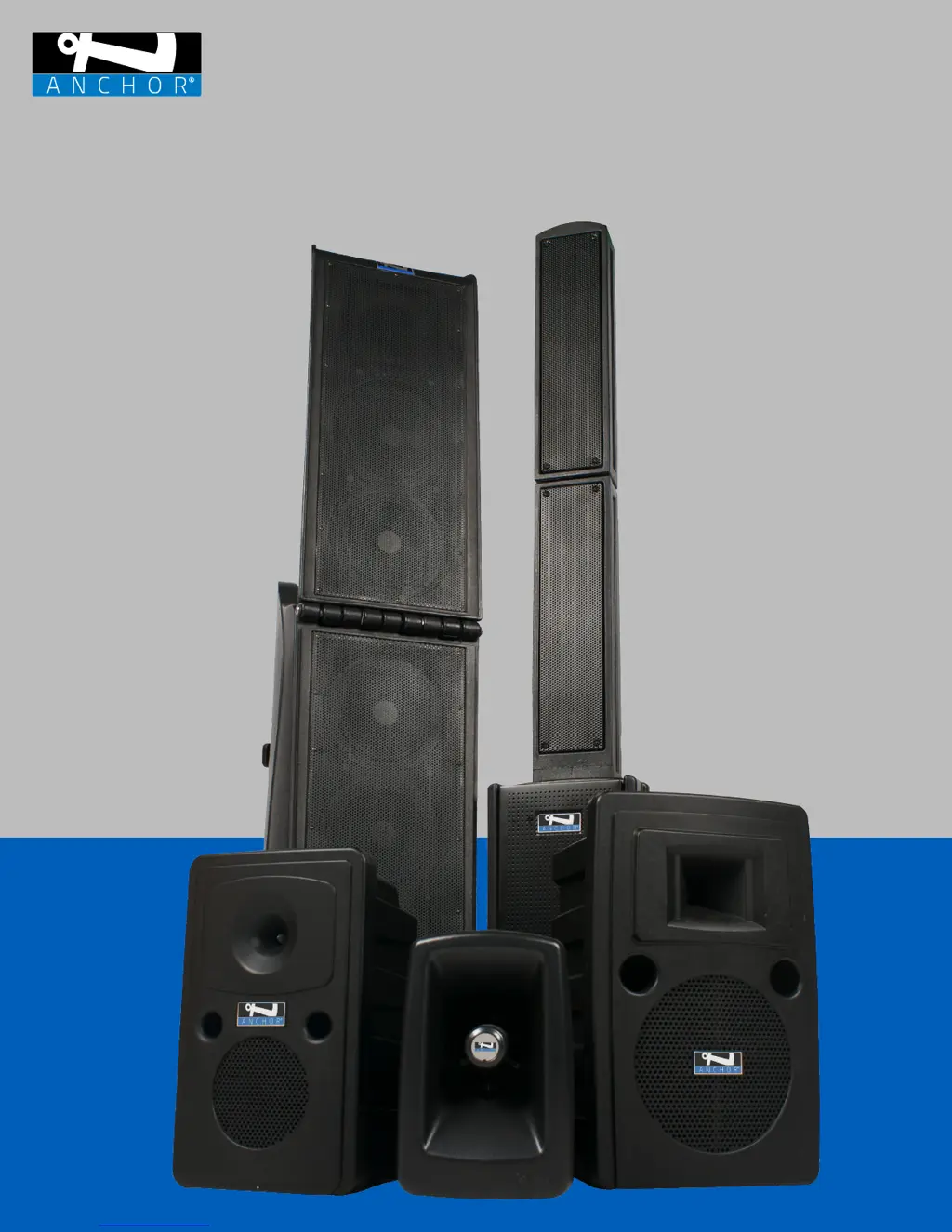
BIGFOOT | BEACON | LIBERTY | GO GETTER | MEGAVOX

Other manuals for Anchor bigfoot

Questions and Answers

  • C
    Christian SullivanAug 12, 2025
    Why is the battery life of my Anchor bigfoot Speaker System shortened?
    • C
      Candice PettyAug 12, 2025
      If you are experiencing shortened battery life with your Anchor Speaker System, fully charge the battery. If the battery life continues to deteriorate, contact Anchor Audio customer service at 800.262.4671 x772.
  • B
    Benjamin JonesAug 16, 2025
    Why does my Anchor bigfoot have feedback?
    • D
      Donna SimonAug 16, 2025
      Feedback in your Anchor Speaker System can occur if the microphone is too close to the speaker, pointing towards it, or placed in front of it. It may also happen if the volume is too loud for the room or if sound reflects off hard surfaces. To resolve this: * Point the microphone in a different direction. * Keep the microphone away from the speaker. * Place the speaker in front of the microphone. * Reduce the sound system volume levels.
  • D
    Dustin EvansAug 19, 2025
    What to do if my Anchor bigfoot has no sound and the power LED is off?
    • A
      April PalmerAug 20, 2025
      If your Anchor Speaker System has no sound and the power LED is off, try the following: * Turn the POWER switch ON. * Charge the battery or plug in the AC cord. * If the unit overheats, it may shut down as a safety measure. In this case, turn the volume down and turn the speaker ON again.
  • C
    Cody MyersAug 23, 2025
    How to fix an Anchor Speaker System with no sound but the power LED is on?
    • D
      Debra PatelAug 23, 2025
      If your Anchor Speaker System has no sound, but the power LED is on, consider these steps: * Check for output from the sound source. * Ensure all cables are completely plugged in. * Increase the volume control of the input being used. * If you are not using an external speaker output, remove the plug from the speaker output.
  • M
    Monica SchultzAug 27, 2025
    What to do if my Anchor bigfoot Speaker System has no sound and the RX indicator is off?
    • L
      lgrossAug 27, 2025
      If your Anchor Speaker System has no sound and the RX indicator is OFF, try these steps: * Push the microphone power button. * Turn the POWER switch(es) on. * Make sure the transmitter power switch is on. * Set the receiver and transmitter to the same channel. * Replace the battery in the transmitter. * Try multiple wireless channels.
  • D
    Don VegaAug 31, 2025
    How to resolve distorted sound from my Anchor bigfoot Speaker System?
    • J
      Julie NguyenAug 31, 2025
      To resolve distorted sound from your Anchor Speaker System: * Lower the system volume control. * Lower the input volume control.
  • G
    gmcdonaldSep 4, 2025
    How to troubleshoot no sound on an Anchor bigfoot when the RX indicator is ON?
    • M
      markelliottSep 4, 2025
      If your Anchor Speaker System has no sound and the RX Indicator is ON: * Turn up the WIRELESS volume control. * Make sure the microphone is plugged into the body pack transmitter. * Check the gain on the belt pack.
  • H
    hcamposSep 8, 2025
    How to reduce excessive hum or noise in my Anchor bigfoot?
    • M
      Melissa PerrySep 8, 2025
      To reduce excessive hum or noise in your Anchor Speaker System: * Use shielded cables. * Use a balanced microphone.

Summary

BIGFOOT 2

BEACON 2

LIBERTY 2

GO GETTER 2

MEGAVOX 2

Basic System Operation Guide

Step-by-step guide for setting up and operating the Megavox 2 sound system.

PAIRING THE ANCHORLINK WIRELESS MICROPHONES

OPERATING THE BUILT-IN AIR TRANSMITTER AND AIR WIRELESS COMPANION SPEAKER

SYSTEM PLACEMENT

BATTERY INFORMATION

BATTERY SAFETY

Safety precautions related to the unit's rechargeable Lithium Ion battery.

TECHNICAL SPECIFICATIONS

HAVING TROUBLE WITH YOUR SOUND SYSTEM?

HAVING TROUBLE WITH YOUR WIRELESS SYSTEM?

Troubleshooting common issues with wireless sound system components.

FEEDBACK ISSUES?

Guidance on identifying and eliminating audio feedback.

IMPORTANT SAFETY INSTRUCTIONS

ANCHOR AUDIO WARRANTY

Anchor bigfoot Specifications

Power IconPower
rated power output400 Watts AC/DC
ac power requirements100 – 240 VAC, 50/60 Hz, 300W max
usb power out5V 500mA
Battery IconBattery
battery typeThree 12 V rechargeable, 9.0 Ah
full recharge timeapprox 8 hrs
Audio Specifications IconAudio Specifications
max spl at rated power130 dB @ 1 meter
frequency response100 Hz – 15 kHz ± 3dB
lo-z microphone sensitivity for rated output-52 dBV (2.5 mVrms)
hi-z microphone sensitivity for rated output-43 dBV (7.5 mVrms)
auxiliary line sensitivity for rated output-14 dBV (200 mVrms)
Weight and Dimensions IconWeight and Dimensions
weight75 lbs / 34 Kg
dimensions closed42.3” x 15.3” x 24.0” (107 x 39 x 61cm)
dimensions opened68.6” x 15.3” x 24.0” (174 x 39 x 61cm)