EasyManua.ls Logo

Anderic RRDYS01 User Manual

Anderic RRDYS01
3 pages
To Next Page IconTo Next Page
Page #1 background imageLoading...
Page #1 background image
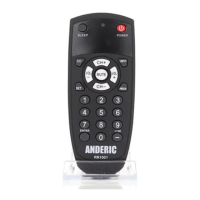
ANDERIC® RRDYS01
Operating Manual
The Anderic® RRDYS01 Remote Control
is to work with Dyson® Hot, Cool,
Humidifier, and Purifying upright floor
fans.
Installing Batteries
Please insert two AAA batteries (sold
separately) into the battery compartment
behind the battery door on the back of the
remote. You may need to remove the
screw securing the battery cover. Please
make sure to match polarities when
installing the batteries. Slide the battery
cover down toward the bottom of the
remote to remove it, then replace it after
installing the batteries. The battery cover
screw is optional and is not needed to
secure the battery cover to the remote.
Optional security cable (sold
separately)
This remote has an optional security cable
(sold separately) attachment. You can
purchase this security cable from
Anderic.com/CBL01. Part number:
CBL01.
Programming to your fan:
1. Locate your model fan in the
programming chart below.
2. Press and hold the two keys shown
beside your fan model for about 3
seconds. The indicator light will
blink twice and release the keys.
Note: Please refer to the Key
Operations Chart to see which keys
should operate. If your fan does not
serve as expected, you can also try
the other codes; there may be a better-
suited code. The RRDYS01 is a
universal remote but may not work on
all models of fans.
Programming chart
Press & hold keys:
Fan model(s):
1
&
TP01, TP02,
DP02
2
&
PH02
3
&
HP09
4
&
HP07
5
&
TP04, TP05,
969154
6
&
HP02, 967826
7
&
AM10
8
&
BP01, 970192
9
&
TP04, TP05,
969154
10
&
TP06
11
&
AM05, AM04,
922662
12
&
HP01, 967197
13
&
AM06, AM08,
965824
Question and Answer IconNeed help?

Do you have a question about the Anderic RRDYS01 and is the answer not in the manual?

Anderic RRDYS01 Specifications

General IconGeneral
TypeUniversal Remote
BrandAnderic
ModelRRDYS01
Control MethodInfrared
Power Source2 x AAA Batteries
Weight2.4 ounces
Number of Devices Controlled8

Summary

Programming Your Fan

Programming Chart

Chart detailing fan models and corresponding programming codes for the RRDYS01 remote.

Installing Batteries

Instructions for installing AAA batteries into the remote control's battery compartment.

Optional Security Cable

Information about an optional security cable attachment for the remote control.

Advanced Remote Functions

Learning Instructions

Step-by-step guide for teaching the RRDYS01 remote to learn commands from an original remote.

Delete All Learned Keys

Procedure to clear all custom learned key functions from the RRDYS01 remote.

Reset to Factory Default Status

Instructions on how to restore the RRDYS01 remote to its original factory settings.

Key Operations Chart

Related product manuals