• During home shield mode, press any other key to cancel function.
7. Sleep timer (see Figure 2)
• Using these buttons will turn the fan off automatically after a 2-hour, 4-hour, 8-hour duration.
• Turn the fan on at the desired speed.
• Tap “2H”, “4H”, or “8H” key. The fan will turn off automatically after desired time has expired.
• During Sleep timer mode, tap “ ” key to exit Sleep timer mode. Tap “ ” or “ ” to also exit
Sleep timer and shift to relative key function.
8. Power off memory (see Figure 2)
• Using this button resumes the settings used on the fan prior to the power being turned off.
• If the fan was in sleep timer mode before the power is turned off, fan will be off when power is
turned back on.
• If the fan is in walk-away-light-delay mode before power is turned Off, both the fan and light will be
off when power is turned back on.
2.
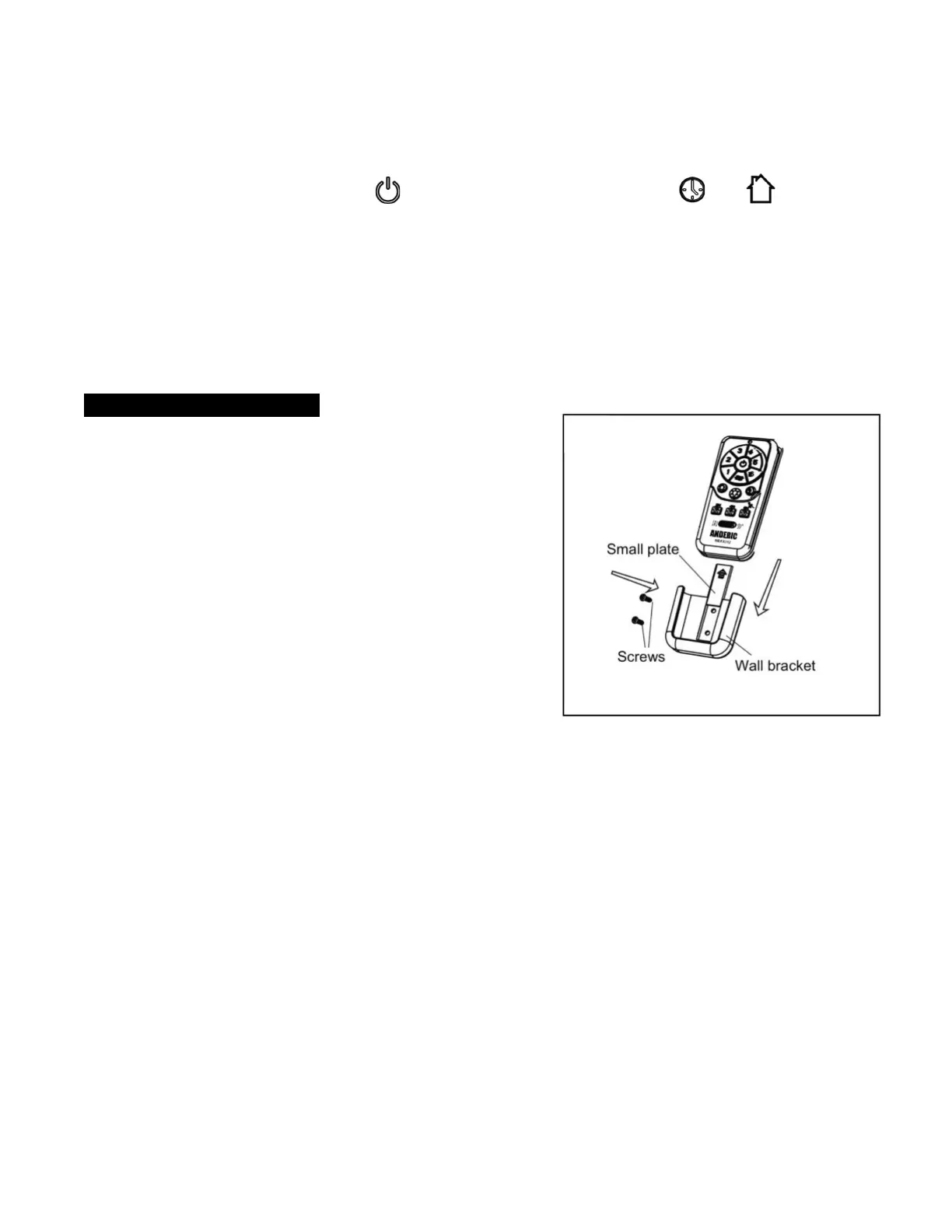
3. WALL BRACKET INSTALLATION
The included wall bracket can be installed to house the
remote control. Remove the small plate preassembled on
the wall bracket and use the screws provided to secure the
wall bracket at desired mounting location. Replace the small
plate.
For product support please go to our website at
www.Anderic.com/RRTX012.
Anderic® is a registered trademark of Dan’s Electronics Etc., Inc.
Customer service regarding the RRTX012 remote control: Phone:
1-855-263-3742
Customer service regarding your fan: Please contact the fan’s
manufacturer or the store the fan was purchased from.


 To Previous Page
 Loading...