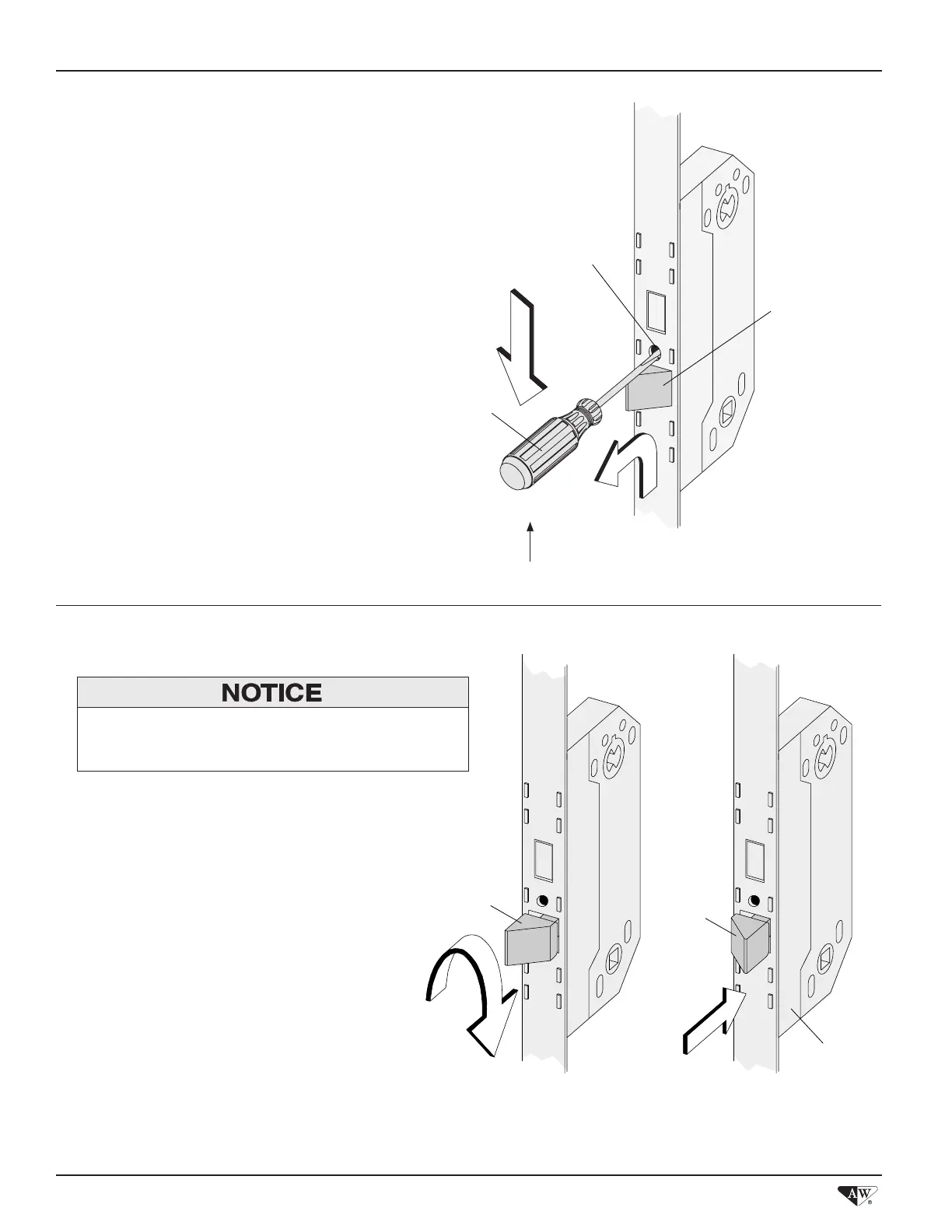
1. Pop Out Latch
2. Rotate Latch
• Remove white packing clip covering latch.
• Insert a 1/8" at blade screwdriver into Latch Reversal
Hole until it bottoms out.
• Apply downward pressure on screwdriver handle while
pulling Latch up and out, as shown.
• Remove screwdriver from Latch Reversal Hole.
• Handing of lock can now be changed.
• Push Latch back into Lock Mechanism Housing.
Latch Reversal Hole
Latch
Latch
Lock
Mechanism
Housing
Latch
Flat Blade Screwdriver
Up
Position Latch so that sloped portion contacts Latch
Receiver first.
• Grasp Latch, pull outward slightly, and rotate 180°.
Lock mechanism handing change procedure is complete. ▶
Lock Mechanism Handing Change Guide
2



 To Previous Page
 Loading...


