Andersen Quick Start Guide v2.0 - Page 11
Updated App Notifications
For ultimate convenience, the Andersen App allows you to control whether
you receive push notifications, email notifications or both. With this ability to
take control of your app notifications, new users have the option to choose to
receive notifications on a weekly charging report, device online status, error
messages, and the start and end of charge sessions.
Estimated mileage added
You will benefit from being able to view the estimated miles added to the car
following a charge session, based on the average consumption of the make and
model of your vehicle. You can add your vehicle to the Andersen App, within
Settings. Additionally, you will be able to view the duration of charge sessions, and
the cost of them, based on your energy tariff settings within the app. These can be
added to your account, either during the setting up of the app or later on in
Settings.
Overview Page
Once the setup of your Andersen App is complete, you will be able to instantly
see your charging status with clearly displayed information. The live
breakdown of your charge session includes information such as, the duration of
a charge session, the cost of your charge session and the amount of energy
used. You will have additional useful functions such as the ability to remotely
lock your charge point for security and to charge outside of scheduled times.
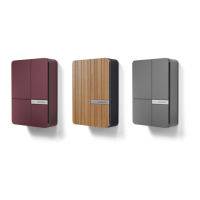
Your bespoke charge point colour combination will be represented on this
screen.
Scheduled Charging & Charge History Reporting
With the ability to integrate your electricity tariff, you can schedule your
charges to coincide with your low cost or off-peak tariff. This can be done
easily from the Schedule page in the Andersen App. Charging history allows
you to easily view all previous charging data in one place. Here you can view
the cost of your charge sessions, the amount of grid or solar energy used as
well as the duration of each charge session.
Simplified Setup
New Andersen users can simply add their vehicle, charge point & energy tariff to
start benefiting from the features of the all-new Andersen app. For existing
Andersen customers who use the Konnect+ App, simply download the Andersen
App and log-in with your existing account details to pick up where you left off. All
settings, schedules and linked charge points will be automatically added to your
account.
Benefits of using the
Andersen App


 To Next Page
 Loading...