22
SmartTV-HDMI2.0
Operating Introductions
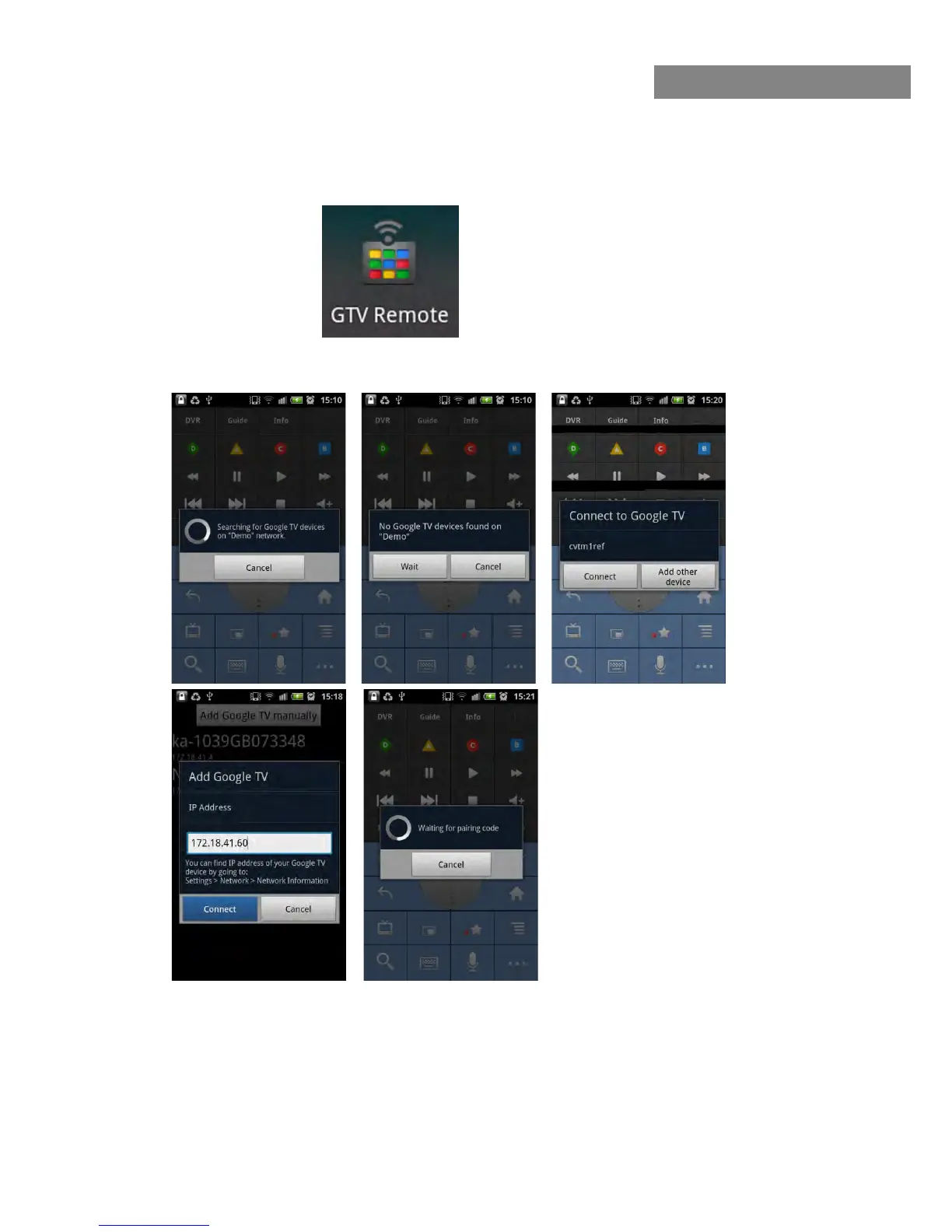
1) Search and download the APP as below, install into your mobile phone:
2) Make our product and your mobile phone connected to the same Wi-Fi connection. Open the
GTV Remote, it will search for our product automatically.
Tips:
1:
2:
3:
4:
If you haven’t found our product at first time, press
“Wait”
If you haven’t found our product after several times
of trying, please press “Cancel” and insert IP
of our product manually
Choose “
Connect
” if ID of the product is shown. Or
device
Waiting for pairing code after clicking “Connect”



 To Next Page