15
F6
Tool
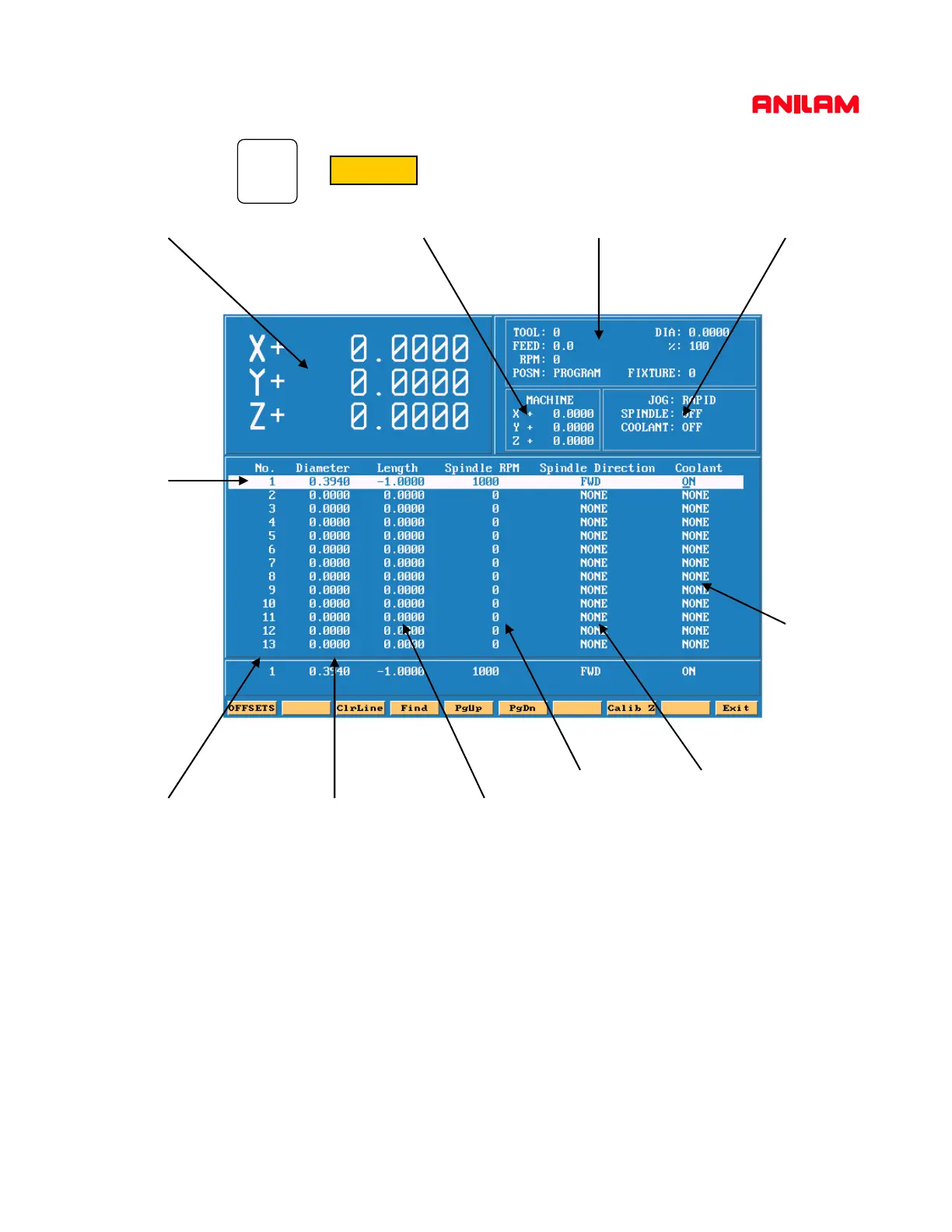
Press This will bring up the Tool Page.
Area #! Area #2 Area #3
Area #6 Area #7 Area #8
Area #9 Area #10
Area #11
Area#4
Area #5
Area #1 Machine position relative to part Zero.
Area #2 Machine position relative to machine zero.
Area #3 Tool information , Feed , RPM and Fixture offset.
Area #4 Jog , spindle and Coolant condition.
Area #5 Active line.
Area #6 Tool number.
Area #7 Tool diameter.
Area #8 Tool length offset.
Area #9. RPM’s only input if M-Functions or an inverter is installed.
Area #10 Spindle forward or reverse same conditions as above apply.
Area #11 Coolant on or off must have M-Functions.



 To Next Page