EasyManua.ls Logo

Anker Technology SoundBuds Flow A3234 - User Manual

Anker Technology SoundBuds Flow A3234
7 pages
Print Icon
To Next Page IconTo Next Page
Loading...
SoundBuds Flow
Owner’s Manual
Safety Instructions
Avoid dropping.
Do not disassemble.
Do not submerge in water.
The product shall not be exposed to dripping or splash.
Avoid extreme temperatures.
The battery shall not be exposed to excessive heat such as sunshine, fire or the like.
Use original or certified cables.
Do not use any corrosive cleaner/oil to clean.
Do not use the product outdoors during thunderstorms.
Keep out of reach of children. It contains small parts which may be a choking hazard.
Hearing Safety
To avoid hearing damage, do not listen for extended periods at high volume.
Do not turn the volume so high that you’re unable to hear your surroundings.
Do not use earphones while driving.
You should use caution or temporarily discontinue use in potentially hazardous situations.
FCC Statement
This device complies with Part 15 of the FCC Rules. Operation is subject to the following two
conditions: (1) This device may not cause harmful interference, and (2) This device must accept
any interference received, including interference that may cause undesired operation.
Warning: Changes or modifications not expressly approved by the party responsible for
compliance could void the user's authority to operate the equipment.
Note: This equipment has been tested and found to comply with the limits for a Class B digital
device, pursuant to Part 15 of the FCC Rules. These limits are designed to provide reasonable
protection against harmful interference in a residential installation.
This equipment generates, uses and can radiate radio frequency energy and, if not installed and
used in accordance with the instructions, may cause harmful interference to radio
communications. However, there is no guarantee that interference will not occur in a particular
installation. If this equipment does cause harmful interference to radio or television reception,
which can be determined by turning the equipment off and on, the user is encouraged to try to
Question and Answer IconNeed help?

Do you have a question about the Anker Technology SoundBuds Flow A3234 and is the answer not in the manual?

Summary

Safety and Compliance

General Safety Precautions

Essential safety guidelines to prevent device damage and ensure user safety during operation.

Hearing Safety Guidelines

Recommendations for safe listening practices to avoid hearing damage and maintain situational awareness.

FCC Compliance Statement

Details on the device's adherence to FCC rules, including operational conditions and interference.

RF Exposure Statement

Information regarding the device's evaluation for radio frequency exposure requirements.

Device Operations

Power Management

Instructions for turning the SoundBuds Flow on and off, with LED indicators.

Charging Procedures

Steps for charging the device and understanding battery status indicators.

Bluetooth Pairing Guide

Step-by-step guide to connect the SoundBuds Flow to other Bluetooth devices.

Audio and Call Controls

Music Playback Controls

How to manage music playback: play, pause, track skipping, and volume adjustment.

Call Handling Features

Managing incoming and active calls: answering, rejecting, holding, and transferring.

Voice Assistant Access

Activating voice assistants like Siri or Google Assistant via the device.

Technical Specifications

Product Specifications

Detailed technical specifications for the SoundBuds Flow, including performance metrics and physical attributes.

Overview

The SoundBuds Flow are Bluetooth headphones designed for portable audio playback and communication.

Function Description:

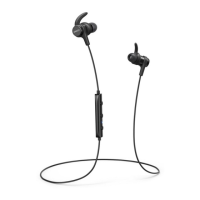
The SoundBuds Flow are wireless in-ear headphones that connect to devices via Bluetooth. They allow users to listen to audio, make and receive phone calls, and interact with voice control software like Siri. The headphones feature an in-line remote control with buttons for power, volume adjustment, track control, and call management.

Important Technical Specifications:

  • Input: 5 V = 0.1 A
  • Charging time: 1.5 hours
  • Play time: 7 hours (varies by volume level and content)
  • Weight: 16 g / 0.56 oz
  • Impedance: 16 Ω
  • Driver (full range): 6 mm x 2
  • Frequency response: 20 Hz - 20 KHz
  • Bluetooth version: V4.1
  • Range: 10 m / 33 ft
  • Product Number: A3234

Usage Features:

  • Power On/Off:
    • On: Press and hold the power button for 1 second. The indicator will flash blue once.
    • Off: Press and hold the power button for 3 seconds. The indicator will flash red once.
  • Pairing:
    • Enter pairing mode: Press and hold the power button for 3 seconds. The indicator will rapidly flash blue.
    • Un-pair connected device and re-enter pairing mode: Press and hold the power button for 3 seconds. The indicator will rapidly flash blue.
    • Once connected to a device, the indicator will show a steady blue light. The device should be within 1 meter (3.3 feet) for initial pairing.
  • Controls (Audio Playback):
    • Play / Pause: Press the multi-function button.
    • Next track: Press and hold the "+" button for 1 second.
    • Previous track: Press and hold the "-" button for 1 second.
    • Volume up / down: Press the "+" or "-" button respectively.
  • Controls (Call Management):
    • Answer / End call: Press the multi-function button.
    • Reject call: Press and hold the multi-function button for 1 second.
    • Put current call on hold and answer incoming call: Press the multi-function button.
    • Switch between held call and active call: Press and hold the multi-function button for 1 second.
    • Transfer a call between headphones and mobile phone: Press and hold the multi-function button for 1 second.
    • During a call, the indicator will show a steady blue light. For an incoming call, it will flash blue.
  • Voice Control:
    • Activate Siri / other voice control software: Press and hold the multi-function button for 1 second.
  • Charging:
    • The headphones are charged via a Micro-USB cable, which can be connected to a USB wall adapter or a computer.
    • Low battery: The indicator will flash red.
    • Charging: The indicator will show a steady red light.
    • Fully charged: The indicator will show a steady blue light.
  • Fit: The manual includes an illustration demonstrating how to properly insert the earbuds into the ear for a secure fit.

Maintenance Features:

  • Cleaning: Do not use any corrosive cleaner/oil to clean the device.
  • Storage: Keep out of reach of children as it contains small parts which may be a choking hazard.
  • General Care:
    • Avoid dropping the device.
    • Do not disassemble the device.
    • Do not submerge the device in water. The product should not be exposed to dripping or splash.
    • Avoid extreme temperatures. The battery should not be exposed to excessive heat such as sunshine, fire, or the like.
    • Use original or certified cables for charging and connection.
    • Do not use the product outdoors during thunderstorms.

Safety Instructions:

  • Hearing Safety:
    • To avoid hearing damage, do not listen for extended periods at high volume.
    • Do not turn the volume so high that you're unable to hear your surroundings.
    • Do not use earphones while driving.
    • Use caution or temporarily discontinue use in potentially hazardous situations.
  • FCC Compliance:
    • The device complies with Part 15 of the FCC Rules, ensuring it does not cause harmful interference and accepts any interference received.
    • Users are warned that changes or modifications not expressly approved by the responsible party could void their authority to operate the equipment.
    • The equipment has been tested and found to comply with Class B digital device limits, providing reasonable protection against harmful interference in residential installations.
    • If interference occurs, users are advised to reorient/relocate the receiving antenna, increase separation between equipment and receiver, connect the equipment to a different circuit, or consult a dealer/radio/TV technician.
    • The device meets general RF exposure requirements and can be used in portable exposure conditions without restriction.

Anker Technology SoundBuds Flow A3234 Specifications

General IconGeneral
BrandAnker Technology
ModelSoundBuds Flow A3234
CategoryHeadphone
LanguageEnglish