0403
Charging
1
2
2
1
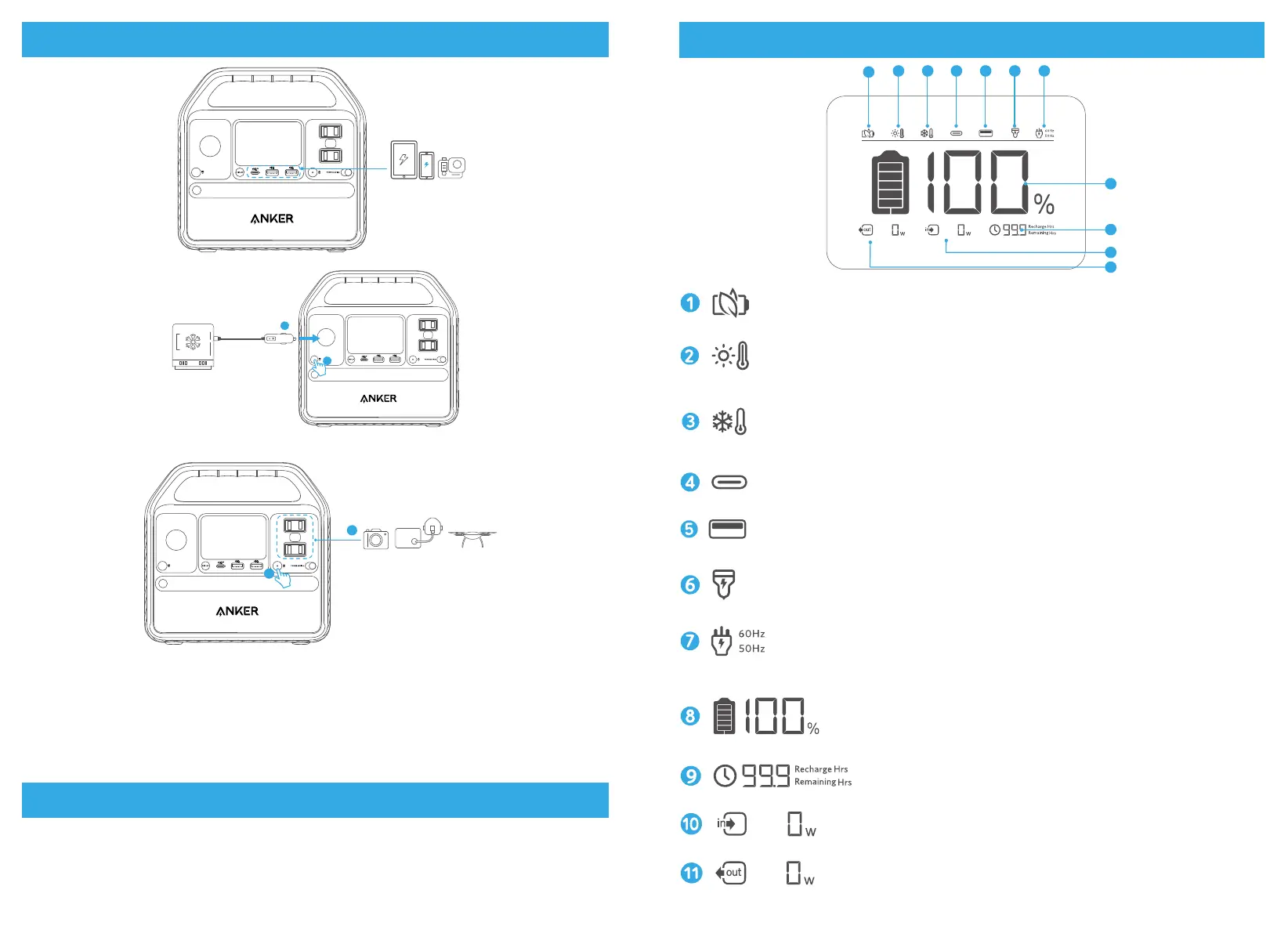
1. The USB-A and USB-C ports support plug and charge. When devices are plugged in, they will start charging
automatically; when devices are unplugged, they will turn off automatically.
2. The car socket and AC output port do not support plug and charge. Use the corresponding on/off buttons to turn
them on before charging.
3. To avoid draining the battery, we recommend keeping Power Saving Mode turned on except when you are charging
low-powered devices like CPAP machines and cameras.
Power Saving Mode
Switching on the power saving mode prevents wasting power by automatically turning off the Power Station once all
your devices are fully charged.
Switching off the power saving mode will enable stable charging over an extended period, such as for time-lapse
photography or for sleeping with a CPAP machine.
LCD Screen Guide
1
2 3 4 5 6 7
8
9
10
11
Power Saving Mode
High-Temperature Alert
• When this icon shows, stop using the product and leave it to cool down until the icon disappears.
Low-Temperature Alert
• When this icon shows, stop using the product until the icon disappears.
USB-C Input/Output Port
USB-A Output
Car Charging
AC Charging and Voltage Frequency
Press the AC output port on/off button for 2 seconds to switch the frequency.
Remaining Battery
Remaining Battery in Hours
Current Input Power
Current Output Power



 To Next Page