English
English
15
16
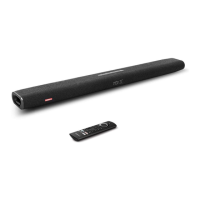
Specications
Specications are subject to change without notice.
Input 100-240V ~ 50/60Hz 1.68A
Audio output Front L / R: 20W x 2ch
Subwoofer: 60W
Decoder Dolby Digital
Dolby Digital Plus
4K HDR Video
Dolby Vision
Input jack TV IN (OPT) × 1
AUX IN (3.5 mm stereo mini) × 1
Output jack HDMI OUT × 1
Additional jack USB (for factory firmware update only)
Bluetooth Version 5.0
Size 930 × 120 × 61 mm /
36.6 × 4.7 × 2.4 in
Product size (with wall
mount brackets installed)
930 mm x 135 mm x 63 mm
/ 36.6 x 5.3 x 2.5 in
Weight (without packaging) 3.3 kg / 116 oz
UpdatingSoftware
To get the best features and support, update your soundbar with the latest
software.
①
Download the Nebula Connect app on your phone.
②
Follow the on-screen instructions to connect the soundbar.
③
Touch the “Settings” icon to enter the “Settings” page, and check the update. If
a prompt appears, tap “Update” to begin updating.
While updating the software:
①
Keep your phone on the “Update” page.
②
Make sure the Nebula Connect app and your soundbar are connected.
③
Make sure your soundbar is connected to a power supply.
④
After updating has completed, the soundbar will automatically restart.


 To Next Page