English
English
05
06
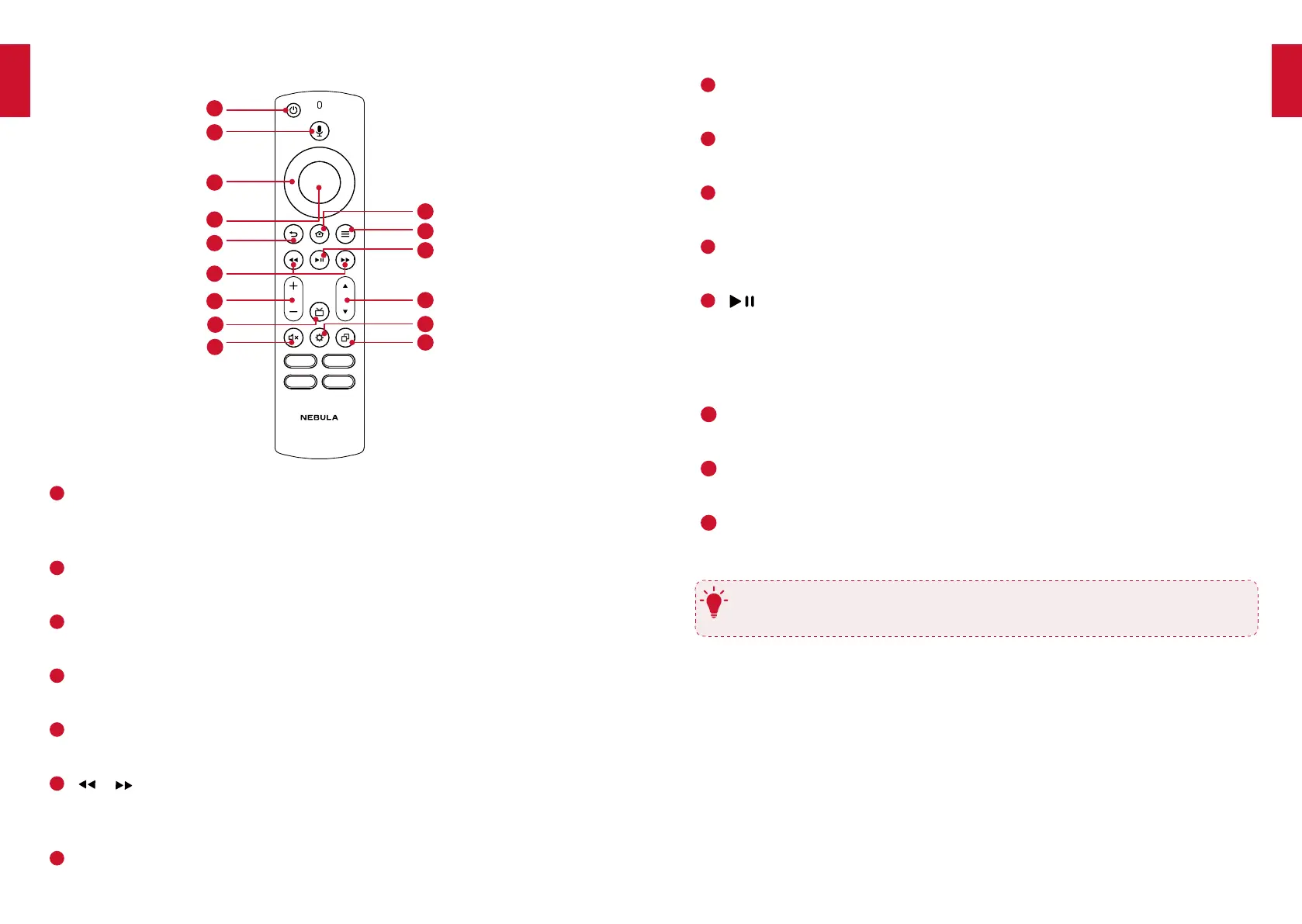
• Increase / decrease volume
8
Guide button
• Press to display Guide screen
9
Mute button
• Mute or unmute the soundbar audio
10
Home button
• Press to access the home menu
11
Menu button
• Press to access pop out menu
12
(Play / pause)
• FTV mode: start, pause, or resume play
• BT mode: press to play / pause
• BT mode: press and hold for 3 seconds to disconnect and enter Bluetooth
pairing mode
13
Channel button
• Press to access the Channel menu
14
Settings button
• Press to access soundbar settings menu
15
15
Recents button
• Press to display Recents screen
T
Point your remote control squarely at the soundbar’s IR receiver while using
the remote control.
1. Remotecontrolbuttons
1
2
3
4
10
11
12
13
14
15
15
5
6
7
8
9
1
Power button
• Press and hold for 3 seconds to power on / off
• Press to enter standby mode or wake up your soundbar
2
Voice button
• Press to give commands after pairing is complete (Amazon Alexa feature)
3
Navigation button
• Press up, down, left, or right to navigate
4
Confirmation button
• Press to confirm the selected function
5
Return button
• Press to return to the previous menu
6
/ (Previous / Next)
• FTV mode: Fast forward and rewind video content
• BT mode: Skip to the previous or next track
7
Volume +/- button


 To Next Page