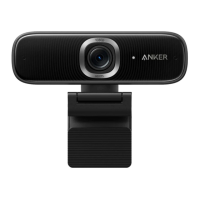
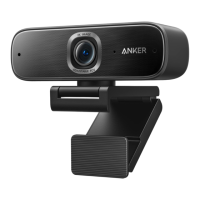
Need help?
Do you have a question about the Anker PowerConf C200 and is the answer not in the manual?
Provides instructions for attaching the webcam to a monitor or laptop.
Steps to clip the webcam onto a monitor or laptop screen for optimal positioning.
Details on how to mount the webcam onto a tripod using its thread.
 General
| Megapixel | - MP |
|---|---|
| Auto focus | Yes |
| Privacy type | Privacy cover |
| Face tracking | - |
| Camera HD type | HD |
| Maximum frame rate | 30 fps |
| Diagonal field of view | 95 ° |
| Focusing distance range | 150 - 3000 mm |
| Video formats supported | M-JPEG, YUV |
| Maximum video resolution | 2048 x 1080 pixels |
| Resolution at capture speed | 320x240@30fps, 2560x1440@30fps |
| Interface | USB |
| Sensor type | CMOS |
| Mounting type | Clip |
| Product color | Black, Grey |
| Optical sensor size | 1/2.7 \ |
| Number of microphones | 2 |
| Microphone pick-up range | 3 m |

 To Next Page