10 English English 11
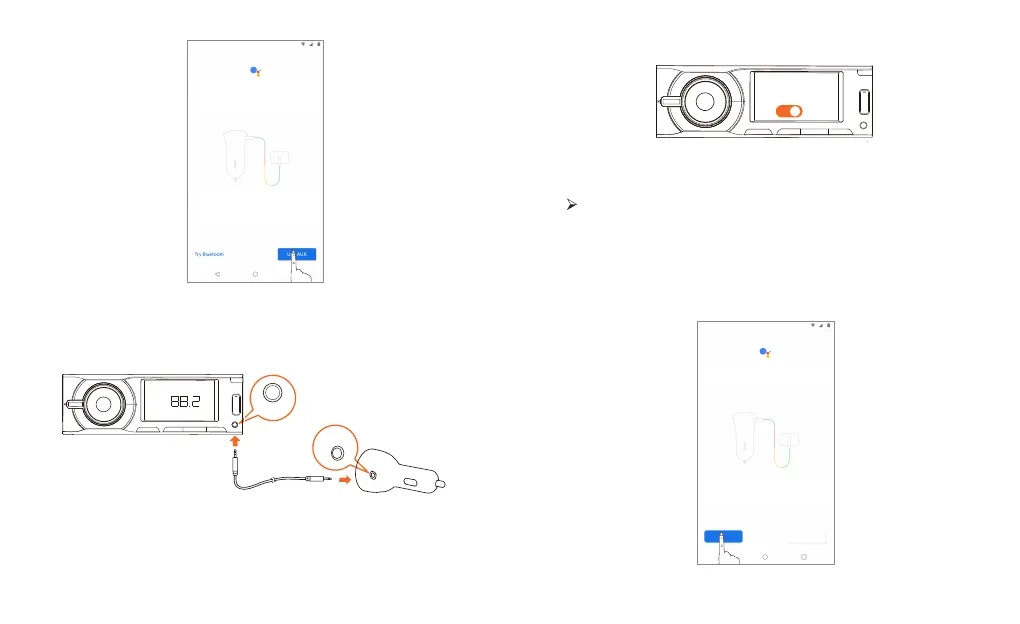
Figure 3
② Use the AUX cable to connect Roav Bolt to your car.
Figure 4
AUX IN
FM
③ Switch your car stereo to AUX mode.
ON
AUX
Figure 5
④ Test your car’s stereo.
You’ll hear a tone to test the connection.
⑤ Tap “Next” to update Roav Bolt. Once the firmware is
successfully updated, the Google Assistant is set up.
Option B. Use Bluetooth
① Tap “Try Bluetooth” to play audio from your car’s speakers.
Figure 6
Try Bluetooth Use AUX


 To Next Page