SurgePad™
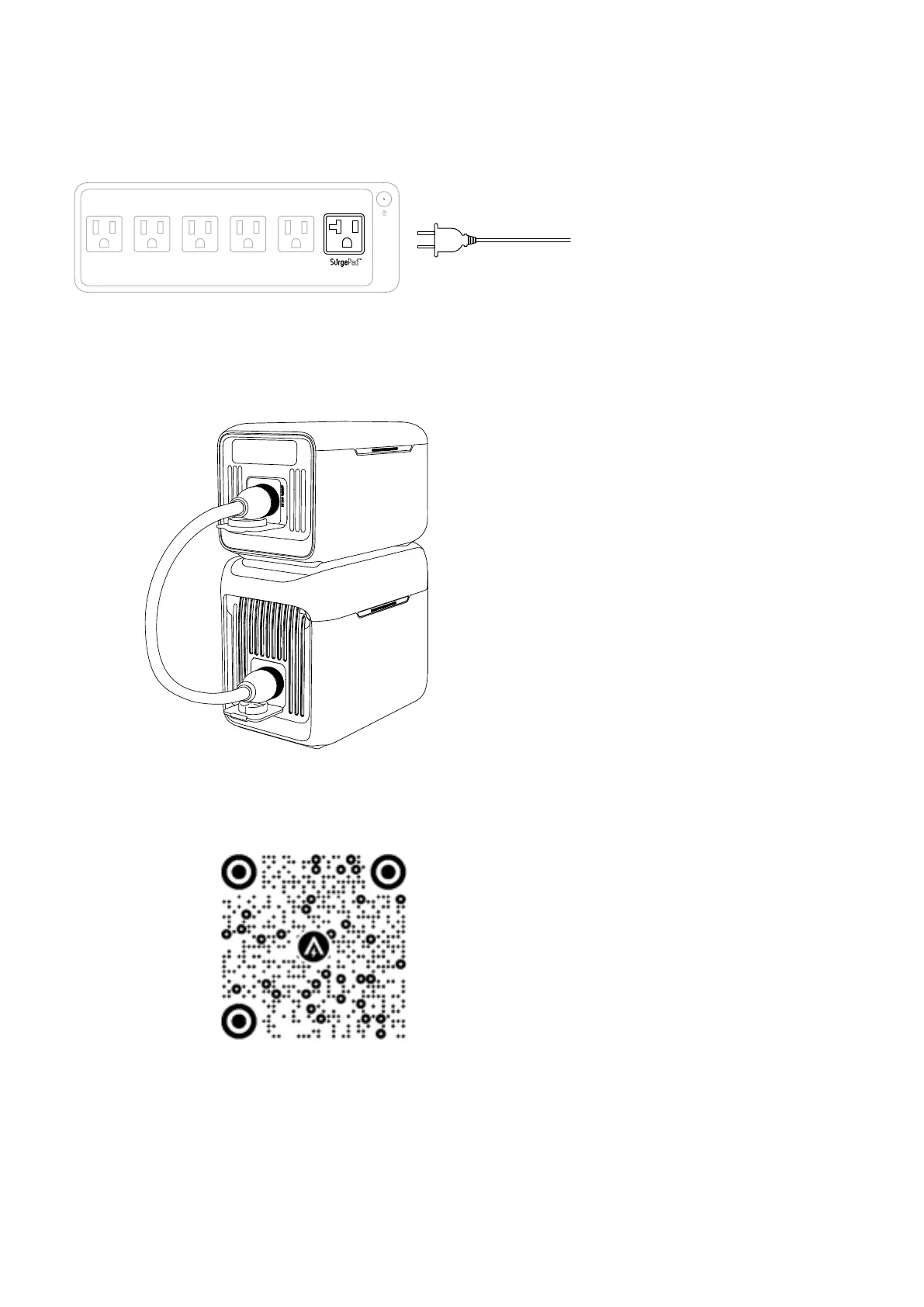
Using the SurgePad™ feature, the power station can power high-wattage devices up to 2400W without overload.
• SurgePad™ automatically turns on when the total output exceeds the rated output, allowing the power station to deliver rated power to high-wattage devices.
• SurgePad™ does not function in bypass mode (when the power station is being charged with the AC output on).
• SurgePad™ works better with devices that generate heat, but does not support precision instruments and other devices that have voltage protection or strict
voltage requirements. To see if SurgePad™ works with your high-wattage device, try powering it with the last AC outlet.
Connecting with an Expansion Battery
Your power station can be connected with an expansion battery to double the capacity to 2112Wh. Please refer to the user manual of Anker
SOLIX BP1000 Expansion Battery (1056Wh) for detailed instructions.
Anker App for Smart Control
You can remotely control your power station using the Anker app.
1. Download the Anker app from the App Store (iOS devices) or Google Play (Android devices), or by scanning the QR code.
2. Connect the device to a network before using the app for the first time. After connecting successfully, you can connect your device o-grid.
3. Firmware update: You will be informed once a new firmware version is detected when you connect the power station to the app. During the update, ensure
the power station is being charged through the AC input port and connected to Wi-Fi.


 To Next Page