
 Need help?
Do you have a question about the Anker SoundCore H30i and is the answer not in the manual?
Steps to manually enter Bluetooth pairing mode when headphones are off.
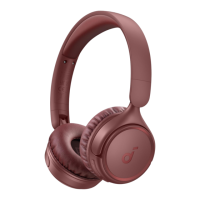
The soundcore H30i (A3012) are over-ear headphones designed for a versatile audio experience, offering both wireless and wired listening options, along with smart features accessible via a dedicated app.
The soundcore H30i headphones primarily function as a personal audio device, allowing users to listen to music, podcasts, and other audio content from various sources. They support Bluetooth connectivity for wireless freedom and also offer a wired listening mode for situations where wireless is not preferred or available. The headphones are equipped with controls for managing playback, volume, calls, and a special BassUp feature for enhanced bass. A key aspect of their functionality is integration with the soundcore app, which expands their capabilities through customization and firmware updates.
To unlock the full potential of the soundcore H30i, users are encouraged to download the soundcore app, available on both Google Play and the App Store. The app provides a platform for customizing EQ settings, updating the headphone's firmware, and exploring additional features. If connection issues arise with the app, re-installing or updating it to the latest version is recommended.
The headphones are designed for comfortable wear. Users should place the "L" logo on their left ear and the "R" logo on their right ear. The headband's length can be adjusted to ensure a secure and comfortable fit for different head sizes.
Before initial use or when the battery is low, the headphones need to be charged. It's crucial to ensure the USB port is completely dry before charging to prevent damage. The headphones should not be turned on while charging. Users must use the provided USB-C charging cable and a certified charger to avoid any potential harm to the device. During the charging process, a red indicator light on the headphones will illuminate, signifying that the battery is being replenished. A full charge typically takes 2 hours, providing up to 70 hours of playtime. A quick 5-minute charge can provide up to 4 hours of listening time.
To power on the headphones, the multi-function button should be pressed and held for 3 seconds. Upon the first power-on, the headphones automatically enter Bluetooth pairing mode. Users then need to select "soundcore H30i" from their device's Bluetooth list to establish a connection. During pairing, the indicator light on the headphones will flash blue slowly. Once successfully paired, the indicator light will remain on for 3 seconds before turning off.
If the headphones are off and a user wishes to manually enter Bluetooth pairing mode, they can press and hold the power button for 5 seconds until the LED flashes blue. This is useful for connecting to a new device or re-pairing if the automatic process doesn't initiate.
The soundcore H30i headphones support multipoint connection, allowing them to connect to two devices simultaneously. If the headphones are already connected to one device, users can press the multi-function button twice to pair with a second device. This feature enables seamless switching between audio sources without needing to disconnect and reconnect.
The headphones feature intuitive button controls for various functions:
For situations where wireless connectivity is not desired or available, the soundcore H30i headphones can be used in wired mode. By plugging the supplied 3.5mm AUX cable into an external audio device, users can enjoy audio playback. When wired listening is active, the Bluetooth mode automatically turns off.
The LED indicator on the headphones provides visual cues for different statuses:
If users encounter connectivity or function issues with their headphones, a reset might be necessary. To perform a reset, first delete the pairing history from the Bluetooth device. Then, simultaneously press and hold the volume up button and the multi-function button for 5 seconds. The LED will flash red three times, indicating a successful reset.
The soundcore app plays a crucial role in maintaining the headphones' performance and features through firmware updates. Users will be notified within the app when a new firmware version is detected. It is essential to ensure the headphones are powered on, connected to a device, and have stable internet access during the update process. During the update, avoid using the headphones to prevent interruptions. Firmware updates can introduce new features, improve existing functionalities, and address any known issues.
 General
| Driver Size | 40mm |
|---|---|
| Connectivity | Bluetooth |
| Microphone | Yes |
| Frequency Response | 20 Hz - 20 kHz |
| Impedance | 32Ω |
| Bluetooth Version | 5.3 |
| Foldable Design | Yes |
| Bluetooth Range | 15m |
| Wired Mode | Yes |

 To Next Page