08
EN
4. Place your Soundsync next to the second headphone / speaker and
wait 30 secs for connection. Once Soundsync is successfully connected to
the second headphone / speaker, turn o your Soundsync.
5. Now turn the first headphone / speaker on, wait for 10 to 20 secs, then
turn on your Soundsync, wait for another 30 secs. Both headphones /
speakers will have sound if the connection is successful. For unsuccessful
connection, restart your Soundsync to connect the devices or repeat
above procedures.
Play / pause
Note: not available in Transmitter mode(TX).
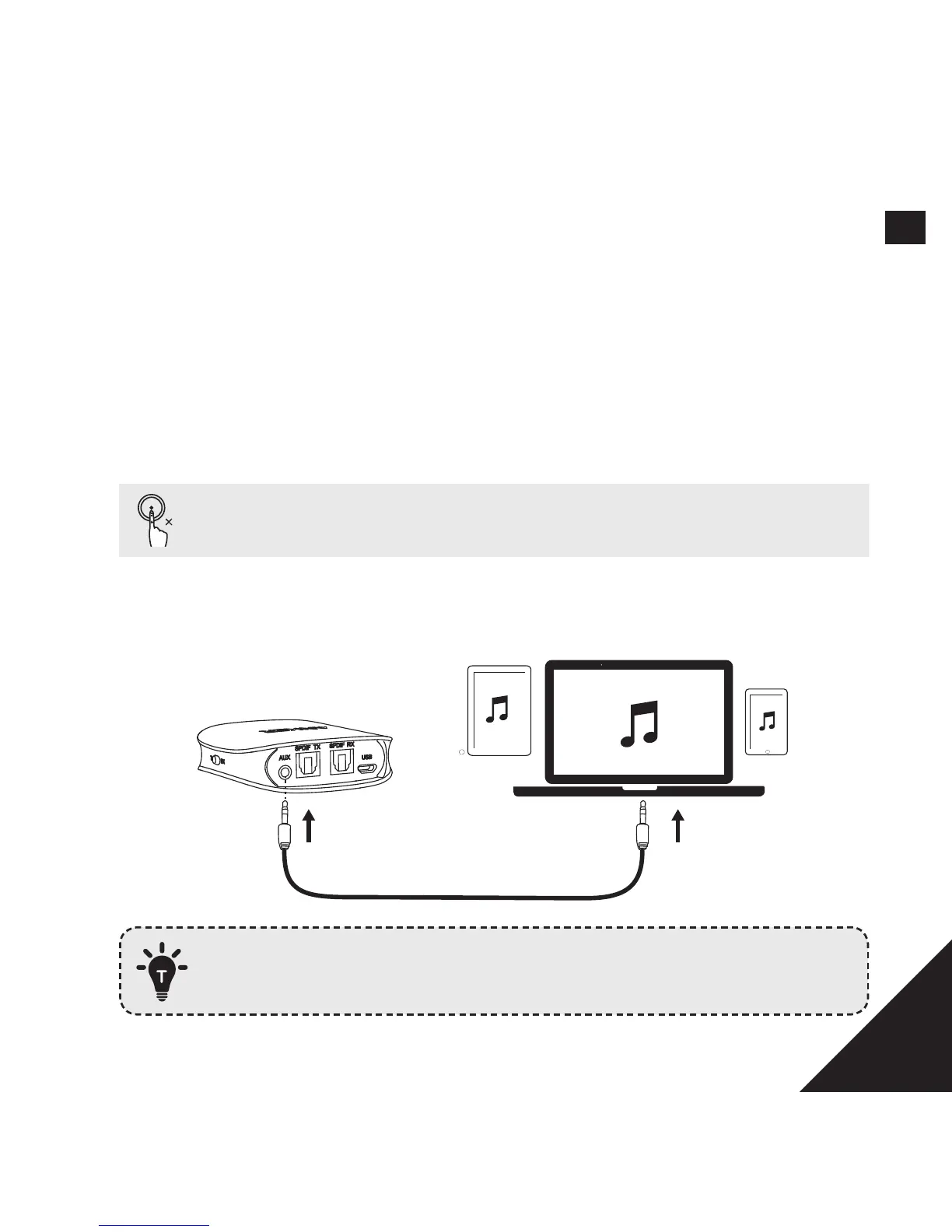
AUX mode
AUXAUX
SPDIF mode is the default mode, but Soundsync will automatically
switch to AUX mode when 3.5mm audio cable is plugged in.


 To Next Page