
 Need help?
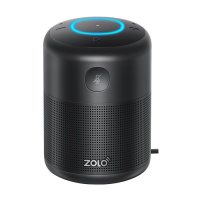
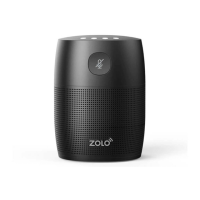
Do you have a question about the Anker Zolo SonicG and is the answer not in the manual?
Wi-Fi router, smartphone/tablet connected to Wi-Fi, and specific OS versions.
Run the Google Home app and follow instructions to set up Zolo SonicG.
Sign in with your Google account for a personalized experience and verify account linkage.
Press button to enter pairing mode, then enable Bluetooth on device and select Zolo SonicG.
Check power supply and long-press touch panel if Zolo SonicG does not respond.
Verify router, replug adapter, and follow app instructions if unable to connect to Wi-Fi.
Ensure Wi-Fi connection, proper commands, clear speech, placement, and microphone status.
 Power
Power| input voltage | 9 V |
|---|---|
| current | 1.5 A |
| rated power consumption | 5 W |
| power adaptor input rating | 100-240 V~, 50-60 Hz |
| power adaptor output rating | 9 V 1.5 A |
 Audio
Audio| impedance | 4 Ω |
|---|---|
| driver size | 1.75" |
| frequency response | 60 Hz - 20 KHz |
 Connectivity
| Wi-Fi network compatibility | IEEE 802.11 a/b/g/n, 2.4G/5G |
|---|---|
| Bluetooth version | V4.2 |
| Bluetooth range | 10 m / 33 ft |
 Weight and Dimensions
| weight | 312 g / 11 oz |
|---|

 To Next Page