EN 02
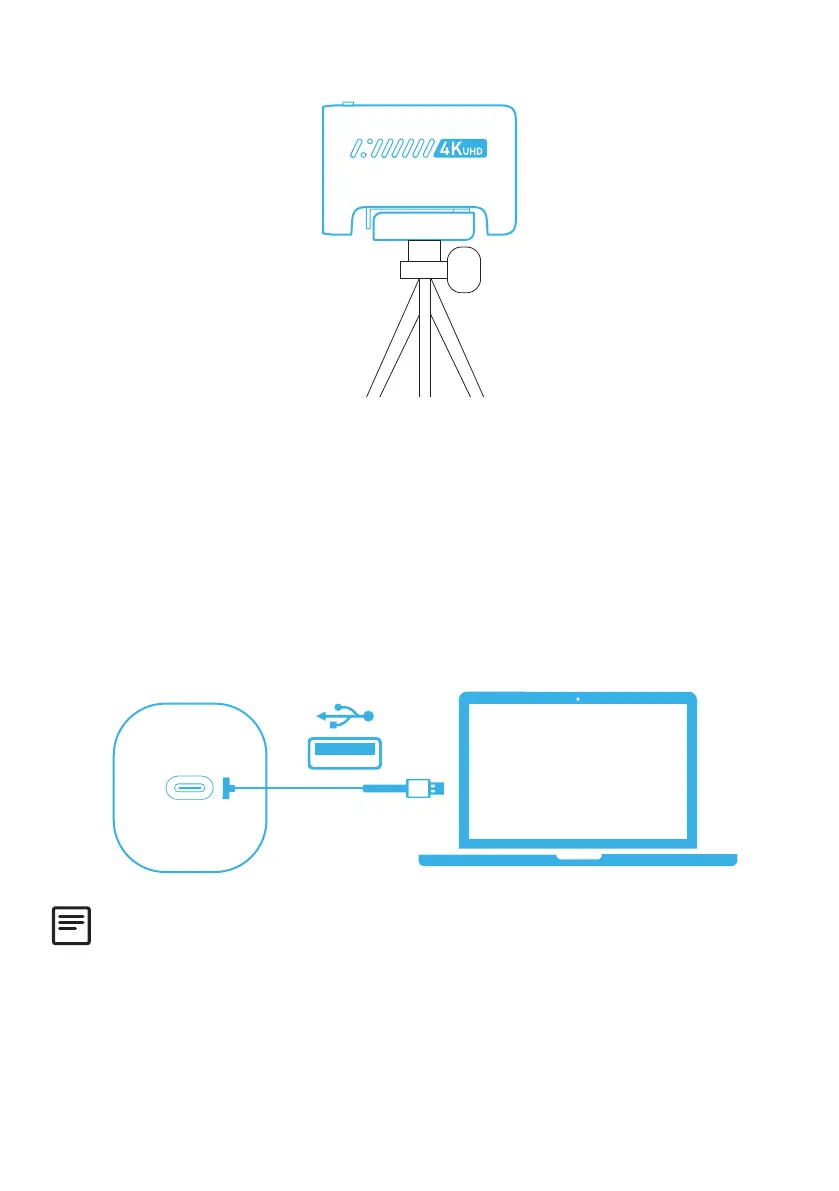
Option B: On a Tripod on Your Desk
1. Plug the USB-C connector on the provided cable into the USB-C port on the
webcam.
2. Plug the USB-A connector into an available port on your computer.
• Plug-and-play support will let your computer instantly recognize the webcam.
• If your computer does not instantly recognize the webcam, try plugging into a
different USB port or restart the computer.
3. Open the app you want to use with the webcam.
• The LED light will light up white when the webcam is in use by an app.
You may need to manually select this webcam and its built-in microphones for your
PC system or software.
A) Windows
1. Go to Settings > Privacy > Camera and turn on “Allow apps to access your
camera”.
2. Turn on each of the listed apps where you want to use the camera. After you
open the Camera app, you may need to switch to the 4K UHD Camera.


 To Next Page