03 EN
B) macOS
1. Go to the Apple menu > System Preferences > Security & Privacy, then choose
Camera from the list on the left side.
2. Locate the app(s) you want to enable camera access for and check the box
alongside that app name to enable camera access for that application.
C) Software (Zoom or more)
Go to Settings > Video > Camera and choose this webcam.
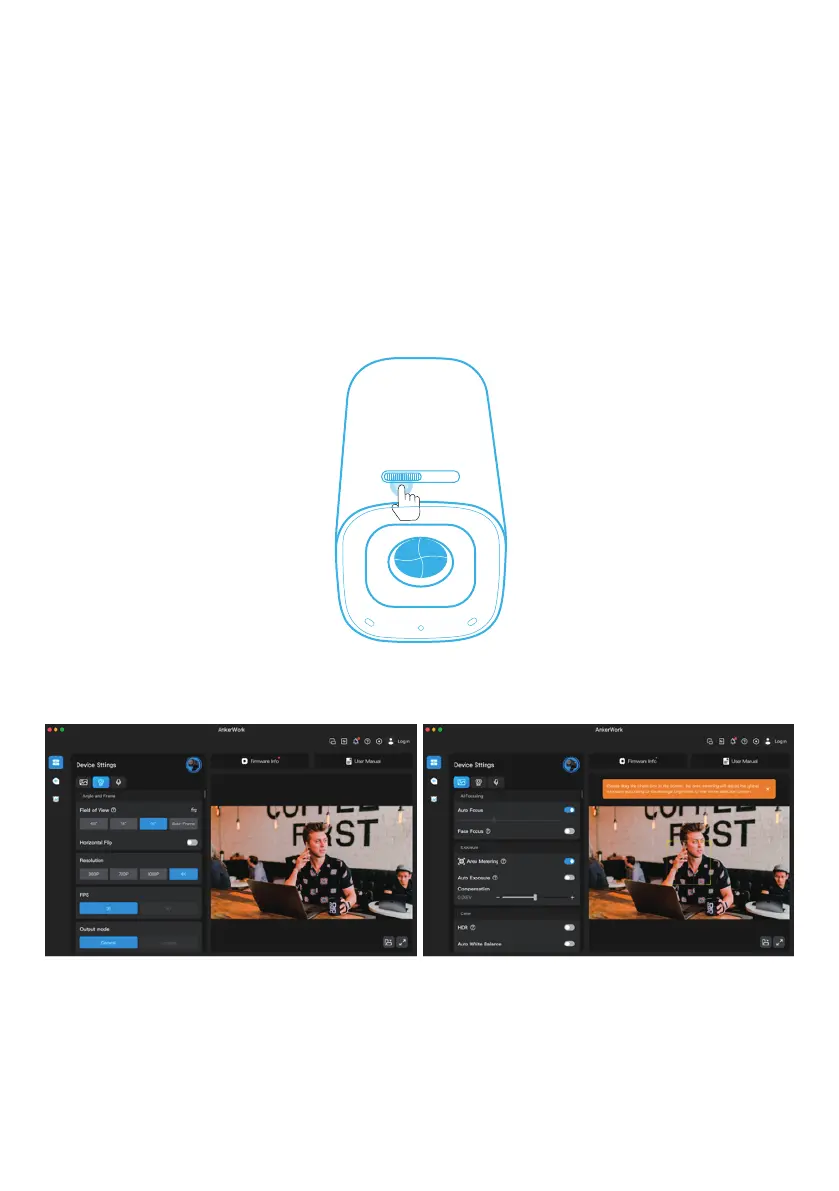
Slide to cover the camera lens for privacy. The camera will turn off automatically
when blocked by the privacy cover.
OFF
Download and install the AnkerWork software on your PC to update rmware and adjust settings.


 To Next Page