06 EN
• Windows
Right-click on the sound icon > Open Sound settings > Choose your output device / Choose your input device
• Soware (Zoom, Skype, others)
Settings > Audio > Speaker / Microphone
Linking Mode
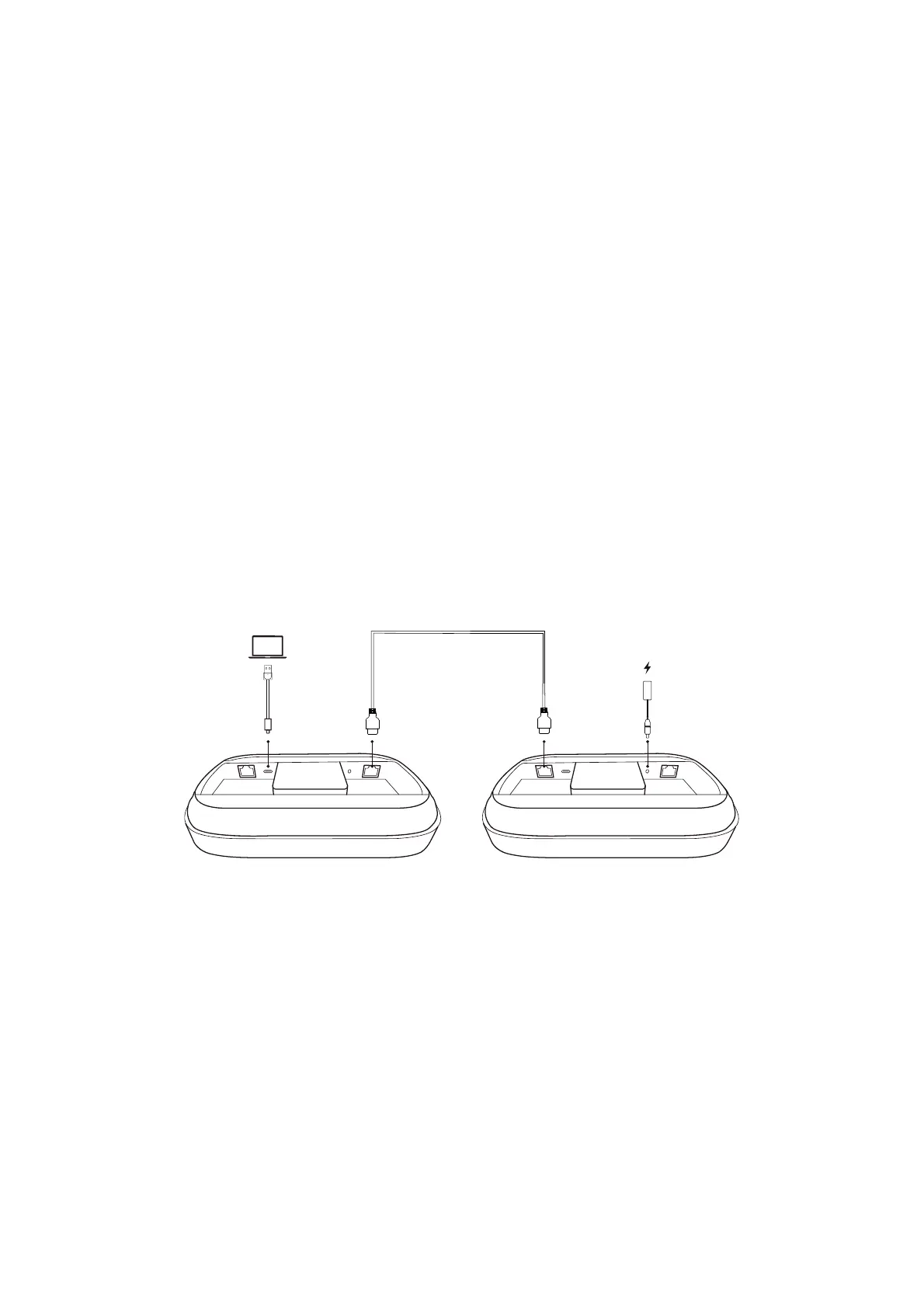
You can link up to five AnkerWork SR500 Speakerphones for meeting rooms in dierent sizes.
1. Plug the provided power adapter (with the power plug) into a speakerphone.
2. Connect one end of the PoE cable to the Output port on the previous speakerphone. Connect the other end of the PoE cable to the
Input port on the next speakerphone.
3. Connect any speakerphone in the chain to your computer using the provided USB cable (with the USB converter, if necessary).
Speakerphone 1Speakerphone x N


 To Next Page