05 EN
Connecting to a Computer
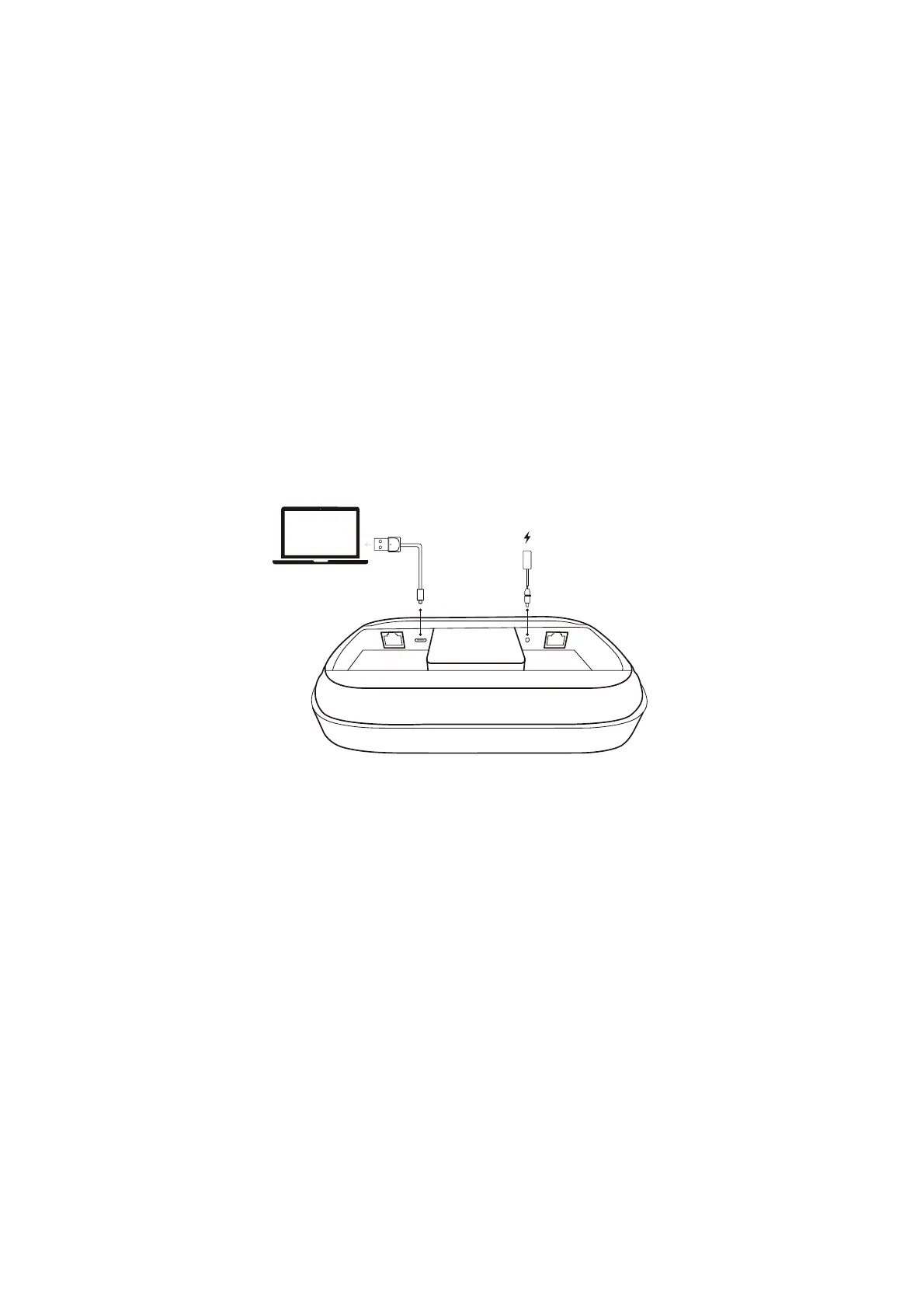
1. Plug the provided power adapter (with the power plug) into the speakerphone.
2. Connect the speakerphone to your computer using the provided USB cable (with the USB converter, if necessary).
• The speakerphone will automatically turn on once connected to a power supply.
• Once the speakerphone is connected and powered on, all buttons will turn white for 10 seconds, and the LED bar will turn
blue for 2 seconds.
You might need to manually select AnkerWork SR500 Speakerphone for your PC system or conference soware.
• macOS
System Preferences > Sound > Sound Eects / Output / Input


 To Next Page