EasyManua.ls Logo

anko 42710844 - User Manual

anko 42710844
6 pages
Print Icon
To Next Page IconTo Next Page
Loading...
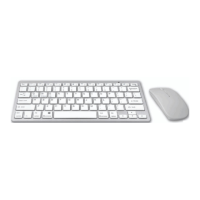
Bluetooth Keyboard & Mouse Combo
Instruction Manual
Keycode: 42710844
P180203-2_Intra_42710844_20181221.indd 1 21/12/2018 11:19 AM
Question and Answer IconNeed help?

Do you have a question about the anko 42710844 and is the answer not in the manual?

Summary

Safety Instructions

System Requirements and Preparation

System Requirements

Lists compatible operating systems and Bluetooth version requirements.

Before First Use

Instructions for unpacking, checking, and preparing the device before initial operation.

Product Overview

Identifies key components and features of the keyboard and mouse.

Battery Installation and Notes

Inserting the Batteries

Steps for correctly inserting 1.5V AAA batteries into the mouse and keyboard.

Notes on Batteries

Important safety and handling information regarding battery usage and disposal.

Bluetooth Connection

Connecting Keyboard

Step-by-step guide to connect the Bluetooth keyboard to a computer.

Connecting Mouse

Step-by-step guide to connect the Bluetooth mouse to a computer.

Device Operation

Operating System Selection

Instructions for selecting the correct operating system for the device.

Power Saving Mode

Explanation of how the device enters power saving mode and how to reactivate it.

Changing DPI

Guide on how to adjust the mouse's DPI sensitivity settings.

Care and Maintenance

Instructions for cleaning and maintaining the keyboard and mouse.

12 Month Warranty

Summary

Safety Instructions

System Requirements and Preparation

System Requirements

Lists compatible operating systems and Bluetooth version requirements.

Before First Use

Instructions for unpacking, checking, and preparing the device before initial operation.

Product Overview

Identifies key components and features of the keyboard and mouse.

Battery Installation and Notes

Inserting the Batteries

Steps for correctly inserting 1.5V AAA batteries into the mouse and keyboard.

Notes on Batteries

Important safety and handling information regarding battery usage and disposal.

Bluetooth Connection

Connecting Keyboard

Step-by-step guide to connect the Bluetooth keyboard to a computer.

Connecting Mouse

Step-by-step guide to connect the Bluetooth mouse to a computer.

Device Operation

Operating System Selection

Instructions for selecting the correct operating system for the device.

Power Saving Mode

Explanation of how the device enters power saving mode and how to reactivate it.

Changing DPI

Guide on how to adjust the mouse's DPI sensitivity settings.

Care and Maintenance

Instructions for cleaning and maintaining the keyboard and mouse.

12 Month Warranty

Overview

This document is an instruction manual for an Anko Bluetooth® Keyboard & Mouse Combo, Keycode: 42710844.

Function Description:

The Anko Bluetooth® Keyboard & Mouse Combo provides wireless input for computers and other compatible devices. The keyboard features multi-media keys for enhanced control, while the mouse offers standard left/right click, a scroll wheel, and a DPI switch for adjustable sensitivity. Both devices connect via Bluetooth® 3.0 technology, ensuring a cable-free workspace. The combo is designed for household use and is compatible with Windows XP SP3/VISTA/7/8/10 and Mac OS X (10.4).

Important Technical Specifications:

  • Connectivity: Bluetooth® 3.0
  • Power Source: 2 x 1.5 V AAA batteries for both keyboard and mouse (total of 4 AAA batteries required).
  • Mouse DPI Settings: Adjustable between 1200dpi, 1600dpi, and 800dpi. The default setting is 1200dpi.
  • Operating System Compatibility: Windows XP SP3/VISTA/7/8/10, Mac OS X (10.4).
  • Power Saving Mode: Both devices enter power saving mode after ten minutes of inactivity.

Usage Features:

  • Battery Insertion: Both the mouse and keyboard require two 1.5 V AAA batteries each. Users must observe the polarity diagram inside the battery compartments during insertion.
  • Bluetooth Connection (Keyboard):
    1. Turn on the computer's Bluetooth function.
    2. Switch the keyboard's ON/Off switch to ON.
    3. Press the CONNECT button on the bottom of the keyboard; the LED will start blinking.
    4. Select 'Bluetooth-Keyboard' from the list of discoverable devices on the computer.
    5. Enter the displayed pin code into the Bluetooth keyboard.
    6. The keyboard will connect, and the LED will stop blinking.
  • Bluetooth Connection (Mouse):
    1. Switch the mouse's ON/Off switch to ON.
    2. Press the left, right, and middle buttons simultaneously.
    3. Select 'Bluetooth-Mouse' from the list of discoverable devices on the computer.
  • Operating System Selection:
    • For Windows: Press FN + W simultaneously.
    • For Android: Press FN + Q simultaneously.
    • For Mac (IOS): Press FN + E simultaneously.
  • Power Saving Mode Reactivation: To reactivate devices from power saving mode, simply move the mouse or press any key on the keyboard.
  • DPI Adjustment (Mouse): Repeatedly click the DPI switch to cycle through 1200dpi, 1600dpi, and 800dpi settings.
  • Windows 10 Specific Connection Steps:
    1. Follow steps 1-3 of the general Bluetooth connection.
    2. Navigate to Control Panel > Hardware and Sound > Devices and Printers.
    3. Click "Add a device" and select the keyboard.
    4. Follow steps 5-6 of the general Bluetooth connection.
  • Multi-media Keys: The keyboard includes dedicated multi-media keys for quick access to various functions.

Maintenance Features:

  • Cleaning: All parts of the device should be wiped with a dry, soft cloth.
  • Battery Handling:
    • Use only top-quality batteries to prevent leakage and damage.
    • If batteries leak, remove them with a cloth and dispose of them properly. Avoid contact with skin and eyes; flush with water if contact occurs and seek medical attention.
    • Remove batteries if the device will not be used for an extended period to prevent damage from leakage.
    • Replace all batteries when device functions weaken.
    • Dispose of expired batteries in an environmentally friendly way, adhering to local regulations.
    • Keep batteries and device components away from children, as swallowed batteries are dangerous. Seek medical attention immediately if a battery is swallowed.
    • Do not recharge, activate by other means, dismantle, throw into fire, or short-circuit batteries.
    • Do not mix old and new batteries or different types of batteries.
    • Remove batteries before disposing of the device.

Safety Instructions:

  • Read the instruction manual thoroughly before use.
  • Keep the manual for future reference and pass it on if the device is given to a third party.
  • Intended for household use only, indoors.
  • Keep away from hot surfaces, naked flames, dust, direct sunlight, humidity, and water.
  • Do not immerse in water or other liquids.
  • Do not open the housing or introduce objects into it.
  • In case of malfunction due to electrostatic discharge or power surge, disconnect and reconnect from the computer.
  • Keep all packaging materials away from children to prevent suffocation.
  • Dispose of packaging materials properly according to local regulations.
  • Remove all protective foils and packaging before use.

anko 42710844 Specifications

General IconGeneral
Brandanko
Model42710844
CategoryComputer Accessories
LanguageEnglish