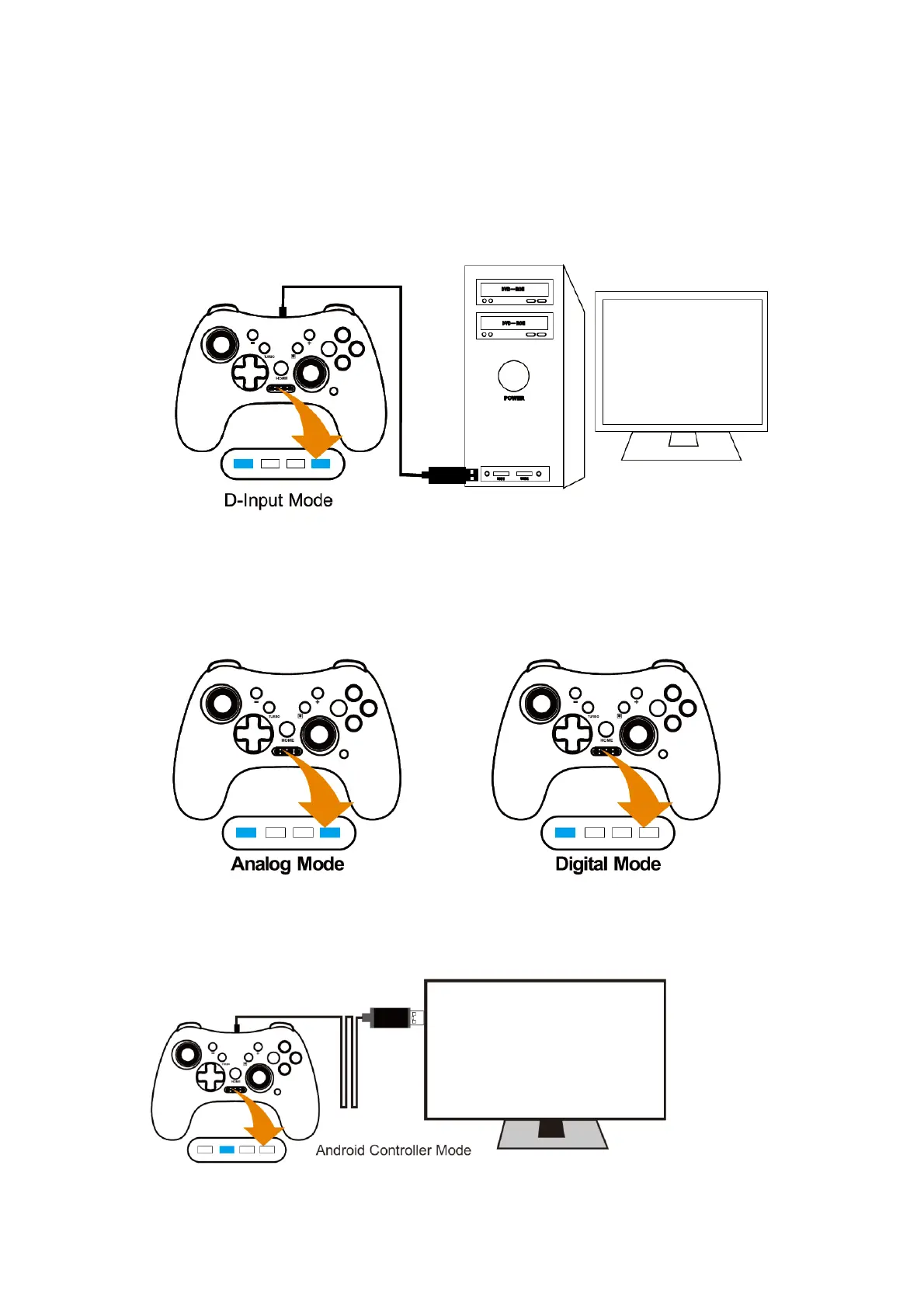
Connect the gamepad with type-C cable to USB port of PC computer, after the system
recognize the game controller, the gamepad will vibration for 1 second to show successful
connect. The LED1,2,3 will be long on. The mode is in X-Input mode.
D-Input Mode
Long press the HOME button with 3-5 seconds, the gamepad will transfer to D-Input mode. It
will vibration for 1 second after transfer successful. The LED turn to LED1+LED4 light.
In this D-input mode, it includes Analog mode and Digital mode, and press HOME button
shortly to switch Analog mode to Digital mode.
Android 6.0+ Controller Mode



 To Next Page