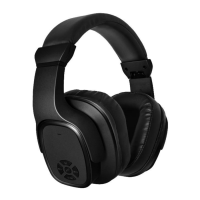
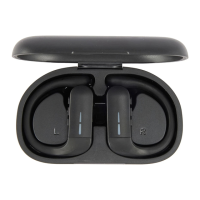
Bluetooth headphone turn ON/OFF
1. Power on: Long press the multi-functional button for 3 seconds, and the indicator flashes red and blue.
2. Power off: Long press the multi-functional button for 5 seconds.
Bluetooth connection
Follow the steps (Please make sure that your phone is built-in Bluetooth function)
1. Turn on the headphone, the LED indicator flashes alternately with blue and red, the headphone enter the pairing
status.
(Note: The headphone can automatically enter pairing status after power on if there is no re-connection. As the
headphone can automatically reconnect with the last device that you had paired. To re-connect, you just need
to turn it on.)
2. Activate the Bluetooth function and search for “anko43351763” referring to your phone instructions.
3. Manually click “anko43351763” to connect.
Answering incoming calls
Tap the multi-function button to answer the call.
Tip: Since some mobile phones default to answer calls via their own receiver, please refer to the instructions of your phone and set
on your phone.
End the current call
Press the multi-function button for 2 seconds to end the call.
Reject incoming calls
Press the multi-function button for 2 seconds when an incoming call comes.
Last number redial
Double-click the multi-function button to redial the last calling number.
Music playing
1. Play/Pause: Press the multi-functional button;
2. Previous song: Long press - Select previous song;
3. Next song: Long press + select next song;
4. VOL+: Press + to increase the volume;
5. VOL -: Press - to reduce the volume.


 To Next Page