EasyManua.ls Logo

anko KM42829676 - User Manual

anko KM42829676
2 pages
Print Icon
To Next Page IconTo Next Page
Loading...
Bluetooth
®
Kids
Headphones
Operating instructions
12 month warranty
Thank you for your purchase from Kmart.
Kmart Australia Ltd warrants your new product to be free from defects in
materials and workmanship for the period stated above, from the date of
purchase, provided that the product is used in accordance with the
accompanying recommendations or instructions where provided. This
warranty is in addition to your rights under the Australian Consumer Law.
Kmart will provide you with your choice of a refund, repair or exchange
(where possible) for this product if it becomes defective within the
warranty period. Kmart will bear the reasonable expense of claiming the
warranty. This warranty will no longer apply where the defect is a result of
alteration, accident, misuse, abuse or neglect.
Please retain your receipt as proof of purchase and contact our
Customer Service Centre on 1800 124 125 (Australia) or 0800 945 995
(New Zealand) or alternatively, via Customer Help at kmart.com.au for
any diculties with your product. Warranty claims and claims for expense
incurred in returning this product can be addressed to our Customer
Service Centre at 690 Springvale Rd, Mulgrave Vic 3170.
Our goods come with guarantees that cannot be excluded under the
Australian Consumer Law. You are entitled to a replacement or refund for
a major failure and compensation for any other reasonably foreseeable
loss or damage. You are also entitled to have the goods repaired or
replaced if the goods fail to be of acceptable quality and the failure does
not amount to a major failure.
For New Zealand customers, this warranty is in addition to statutory rights
observed under New Zealand legislation.
includes:
• Bluetooth
®
headphones
• charging cable
• braided headphone
audio cable
The Bluetooth® word mark and logos are registered trademarks owned by Bluetooth® SIG, Inc.,
and any use of such marks by KMART AUSTRALIA is under licence.
WARNING Do not dispose of unit in fire or water. • Never attempt to disassemble and reassemble. • Waste
electrical products should not be disposed of with household waste, please recycle where facilities exist. • Check
with your local authority for recycle advice. • Keep your device and all accessories out of the reach of children
and animals. • Small parts may cause choking or serious injury if swallowed. • Avoid exposing your device to
very cold or very hot temperatures (below 0˚C or above 45˚C). • Extreme temperatures can cause deforming of
the device and reduce the charging capacity and life of your device. • Do not allow your device to get
wet—liquids can cause serious damage. • Do not handle your device with wet hands.
5060/11
Bluetooth name is KM42829676
Bluetooth name is KM42854203
42-829-676
42-854-203
Question and Answer IconNeed help?

Do you have a question about the anko KM42829676 and is the answer not in the manual?

Summary

Kmart Warranty Information

Bluetooth Kids Headphones Operating Instructions

Package Contents

Lists the items included in the product packaging, such as headphones and cables.

General Safety Precautions

Provides crucial warnings regarding product usage, disposal, and environmental conditions to ensure safety.

Headphone Function Overview

Physical Components

Identifies and labels the key physical parts of the headphones for user reference.

Using Your Bluetooth Headphones

Power Management

Instructions for turning the headphones on and off, and indicators for power status.

Bluetooth Pairing Guide

Step-by-step process for connecting the headphones to Bluetooth-enabled devices.

Call Handling

Details on how to answer, end, and redial phone calls using the headphones.

Music Playback

Explains how to control music playback, including play, pause, and track skipping.

Battery Charging Instructions

Technical Specifications

Summary

Kmart Warranty Information

Bluetooth Kids Headphones Operating Instructions

Package Contents

Lists the items included in the product packaging, such as headphones and cables.

General Safety Precautions

Provides crucial warnings regarding product usage, disposal, and environmental conditions to ensure safety.

Headphone Function Overview

Physical Components

Identifies and labels the key physical parts of the headphones for user reference.

Using Your Bluetooth Headphones

Power Management

Instructions for turning the headphones on and off, and indicators for power status.

Bluetooth Pairing Guide

Step-by-step process for connecting the headphones to Bluetooth-enabled devices.

Call Handling

Details on how to answer, end, and redial phone calls using the headphones.

Music Playback

Explains how to control music playback, including play, pause, and track skipping.

Battery Charging Instructions

Technical Specifications

Overview

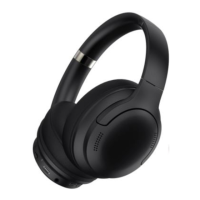
This document describes the Anko Bluetooth® Kids Headphones, models KM42829676 (Blue) and KM42854203 (Pink). These headphones are designed for wireless audio playback via Bluetooth and also support wired connection.

Function Overview:

The headphones feature a power switch, an LED indicator, and multi-function buttons. The buttons control:

  • Next song / Volume up: Press for next song, press and hold for volume up.
  • Play / Pause / Phone: Press to play/pause music, pick up/hang up phone calls, and double-press to call the previous number dialed.
  • Previous song / Volume down: Press for previous song, press and hold for volume down.

Other physical features include a USB charging port, a 3.5mm headphone jack for wired connection, and a built-in microphone for phone calls.

Usage Features:

Power ON / OFF:

  • Power ON: Move the power switch to the "ON" position. The RED and BLUE LEDs will blink alternatively, indicating the headphones are powered on and ready for pairing.
  • Power OFF: Move the power switch to the "OFF" position.

Pairing with Bluetooth Devices:

  1. Once powered on, the headphones enter pairing mode (LED flashes quickly). They will attempt to pair with the last connected device if available.
  2. If not previously paired, search for the headphones in your device's Bluetooth menu.
  3. Select the Bluetooth name corresponding to your headphone model: "KM42829676 Blue" or "KM42854203 Pink."
  4. Upon successful pairing, a tone will be heard, and the LED will flash slowly. The pairing window time is 5 minutes.

Phone Calls:

  • Press the Play/Pause/Phone button to pick up or hang up phone calls.
  • Double-press the Play/Pause/Phone button to redial the previous number.

Playing Music:

  • When connected via Bluetooth, music can be enjoyed wirelessly.
  • Pause/Play: Press the Play/Pause/Phone button.
  • Next Song: Press the '+' button.
  • Previous Song: Press the '-' button.
  • Volume Up: Press and hold the '+' button. A voice indication tone will sound when the maximum volume is reached.
  • Volume Down: Press and hold the '-' button.

Wired Connection:

Alternatively, the braided headphone audio cable can be connected to listen to music. This function works even if the headphones' battery is flat.

Battery Charging:

The headphones are powered by a rechargeable Li-ion battery.

  1. Insert the micro USB end of the supplied USB cable into the headphone's USB charging port.
  2. Insert the standard USB end into a suitable USB port (e.g., a computer or USB wall adapter).
  3. The LED indicator will turn RED to show that the battery is charging.
  4. The LED indicator will turn OFF when the battery is fully charged.
  5. A full charge takes approximately 2.5 hours.

Important Warnings and Maintenance:

  • Do not dispose of the unit in fire or water.
  • Never attempt to disassemble or reassemble the headphones.
  • Waste electrical products should be recycled where facilities exist. Check with your local authority for recycling advice.
  • Keep the device and all accessories out of reach of children and animals. Small parts may cause choking or serious injury if swallowed.
  • Avoid exposing the device to very cold or very hot temperatures (below 0°C or above 45°C), as extreme temperatures can deform the device and reduce charging capacity and battery life.
  • Do not allow the device to get wet, as liquids can cause serious damage.
  • Do not handle the device with wet hands.

Technical Specifications:

  • Model Numbers: 42829676 (Blue), 42854203 (Pink)
  • Bluetooth Version: V5.0 multimedia hi-fi Bluetooth chipset
  • Support Profiles: A2DP, AVRCP, HFP
  • Volume Limited: 82dB ± 3dB (designed for kids' safety)
  • Working Distance: 10 Meters
  • Music Time: >30 Hours
  • Talk Time: >30 Hours
  • Standby Time: >100 Hours
  • Charging Voltage: 5V d.c.
  • Battery Capacity: 450mAh
  • Charge Time: 2.5 Hours
  • Cable Length: 1.2m
  • Pairing Window Time: 5 Minutes

Warranty Information:

Kmart Australia Ltd provides a 12-month warranty from the date of purchase, covering defects in materials and workmanship, provided the product is used according to instructions. This warranty is in addition to rights under the Australian Consumer Law. Kmart offers a refund, repair, or exchange for defective products within the warranty period. The warranty does not apply if the defect results from alteration, accident, misuse, abuse, or neglect. For warranty claims, retain your receipt and contact Kmart Customer Service Centre on 1800 124 125 (Australia) or 0800 945 995 (New Zealand), or via Customer Help at kmart.com.au. For New Zealand customers, this warranty is in addition to statutory rights under New Zealand legislation.

anko KM42829676 Specifications

General IconGeneral
Brandanko
ModelKM42829676
CategoryHeadphone
LanguageEnglish

Related product manuals