22
CAKE
1. Select a suitable recipe and prepare the ingredients as
directed.
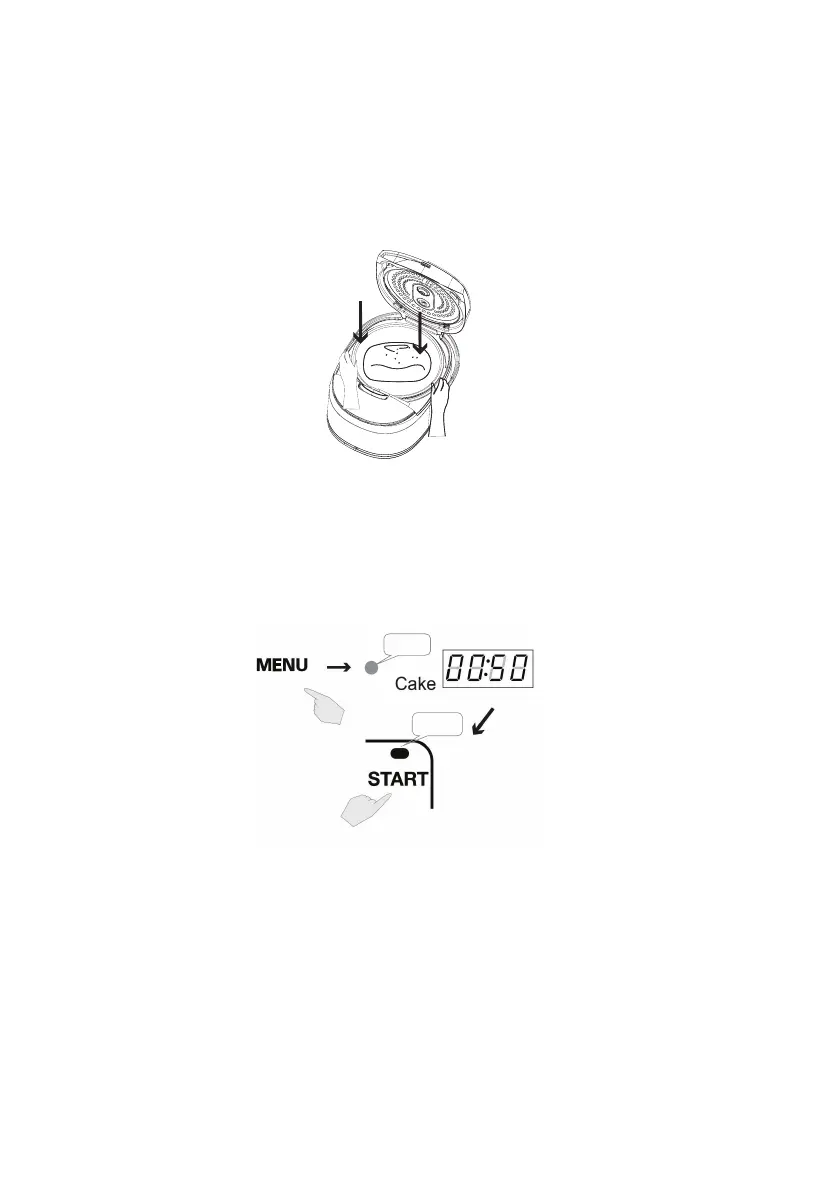
Grease the cooking pot with a little vegetable oil or spray oil and
add cake ingredients mixture into the cooking pot. Smooth the
top a little with a spoon and close the lid.
2. Press MENU button repeatedly to select CAKE menu. Default
cooking time is 50 minutes. Cooking time cannot be adjusted.
Press START button to start cooking the cake. The START
indicator light turns on. There will be countdown remaining time
showing on the LCD display.
Flashing
Lamp is on
3. The cake can be checked midway, and the process would not
be disrupted.


 To Next Page