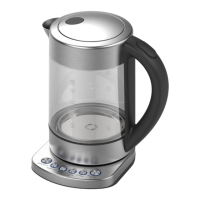
This document is a user manual for the Anko Wi-fi Cordless Water Kettle, model LD-K3068.
Function Description
The Anko Wi-fi Cordless Water Kettle is designed for boiling water and offers various temperature settings for different types of beverages. It features Wi-Fi connectivity, allowing users to control the kettle and monitor its status via a mobile phone application from anywhere with a network connection. The kettle includes a "Keep Warm" function to maintain the selected water temperature for a specified duration. It is intended for household use only and not for commercial purposes. The appliance is equipped with an overheat cut-out switch to prevent overheating and boiling dry.
Important Technical Specifications
- Voltage: 220-240V~
- Frequency: 50-60 Hz
- Wattage: 1850-2200W
- Rating Capacity: 1.7L (MAX) / 0.5L (MIN)
- Temperature Settings: 80°C (Green Tea), 85°C (White Tea), 90°C (Oolong Tea), 95°C (Coffee), 100°C (Black Tea & Boil)
- Keep Warm Temperature Settings: 80°C (Green Tea), 85°C (White Tea), 90°C (Oolong Tea), 95°C (Coffee), 95°C (Black Tea & Boil)
- Keep Warm Duration: 40 minutes for all temperature settings.
Usage Features
Parts Description:
The kettle consists of a Spout, Lid, Handle, Water Indicator, SUS Body, Power Base, Power Cord, and Key (Lamp) buttons on the base.
First Time Use:
Before first use, the kettle should be cleaned by filling it with a 1:3 ratio of vinegar to water (up to the MIN 0.5L mark), boiling the mixture, pouring it away, then refilling with fresh water, boiling, and pouring away again. This process helps ensure a long service life.
Connecting with Wi-Fi Router:
- Upon first power-on, the Wi-Fi key light will flash to indicate the need for network connection.
- If the light flashes quickly, the appliance is in config mode. If it flashes slowly, holding the Wi-Fi key for more than 3 seconds will cause a 'beep' and the light will flash quickly, entering config mode.
- During connection, the Wi-Fi button light will temporarily go out. Once connected, the buzzer will sound, and the Wi-Fi button will light up for 5 seconds.
- After initial connection, the kettle will automatically reconnect when powered on again.
- The kettle can be controlled via a mobile phone app when connected to Wi-Fi.
- Holding the Wi-Fi key for more than 3 seconds will reset the appliance.
- The kettle can be used normally without a network connection; the flashing Wi-Fi light will switch off after a few minutes.
Heating Water:
- Open the lid by pulling up the lid handle.
- Fill the kettle with water between the MIN (0.5L) and MAX (1.7L) marks, checking the level on the water indicator.
- Close the lid firmly.
- Unwind the power cord and plug it into an earthed power outlet.
- The appliance offers five temperature settings (80°C, 85°C, 90°C, 95°C, 100°C), each including a keep warm function.
- When powered ON, all lights blink three times, then the five temperature key lights stay on for 30 seconds in standby. If no key is pressed, lights turn off.
- Press a TEMP. key to select the desired water temperature. The chosen key's light will flash, and heating will begin.
- Once the selected temperature is reached, the buzzer will beep 5 times, and the light will stay on for 5 seconds.
- To change temperature during heating, press another function key.
- To stop heating before the target temperature is reached, press the active temperature key again.
- After boiling, wait for simmering to stop before removing the kettle from the power base.
- Pour water slowly to avoid splashing. Do not open the lid while pouring.
- A sieve insert in the spout prevents scale particles from being poured out.
- Do not re-boil stale water; always use fresh water.
Keep Warm Function:
- Each TEMP. key includes a keep warm function. To activate, touch the keep warm key while its light is off. The light will turn on, and the function will start from the chosen temperature, maintaining it for 40 minutes.
- Touching the activated keep warm key will cancel the function.
- If the kettle is removed from the base during "Keep Warm" state, the function pauses, and two lights flash. If placed back within 10 minutes, the function resumes; otherwise, the appliance shuts down.
Maintenance Features
Cleaning and Maintenance:
- Always unplug the kettle from the mains socket before cleaning.
- The power base, plug, and mains cord must not come into contact with water or other liquids.
- The kettle body must not be immersed in water.
- Do not clean the kettle, power base, or parts in a dishwasher.
- Do not use caustic, aggressive, or abrasive cleaning products on the kettle exterior.
- To clean, remove the mains plug, let the kettle cool, and wipe the base and power cord with a dry cloth.
- Wipe the outside of the jug with a slightly moistened cloth.
- The sieve in the spout can be pulled out, rinsed under hot water, and then slid back in.
Descaling:
- Descaling should be done at regular intervals, especially if lime scale is visible on the base. Regular descaling saves energy and extends the kettle's service life.
- A recommended method is to use a three-to-one (3:1) solution of water and vinegar or citric acid.
- Prepare the mixture in a separate container, then pour it into the kettle up to the MIN (0.5L) water level mark (do not overfill to prevent overflow during boiling).
- Let the solution soak for about an hour, then bring it to a boil.
- Thoroughly rinse the kettle with fresh water.
- Alternatively, commercially available kettle cleaning solutions can be used, following their instructions.

 Need help?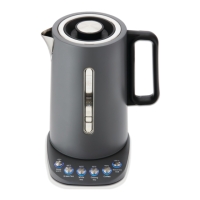

 To Next Page
 General